












Upgrading your xCloud Team Package allows you to access more features, add team members, and enhance your overall cloud experience. Follow the steps to seamlessly upgrade your plan and continue enjoying the benefits of xCloud.
Step 1: Go to Bills & Payment #
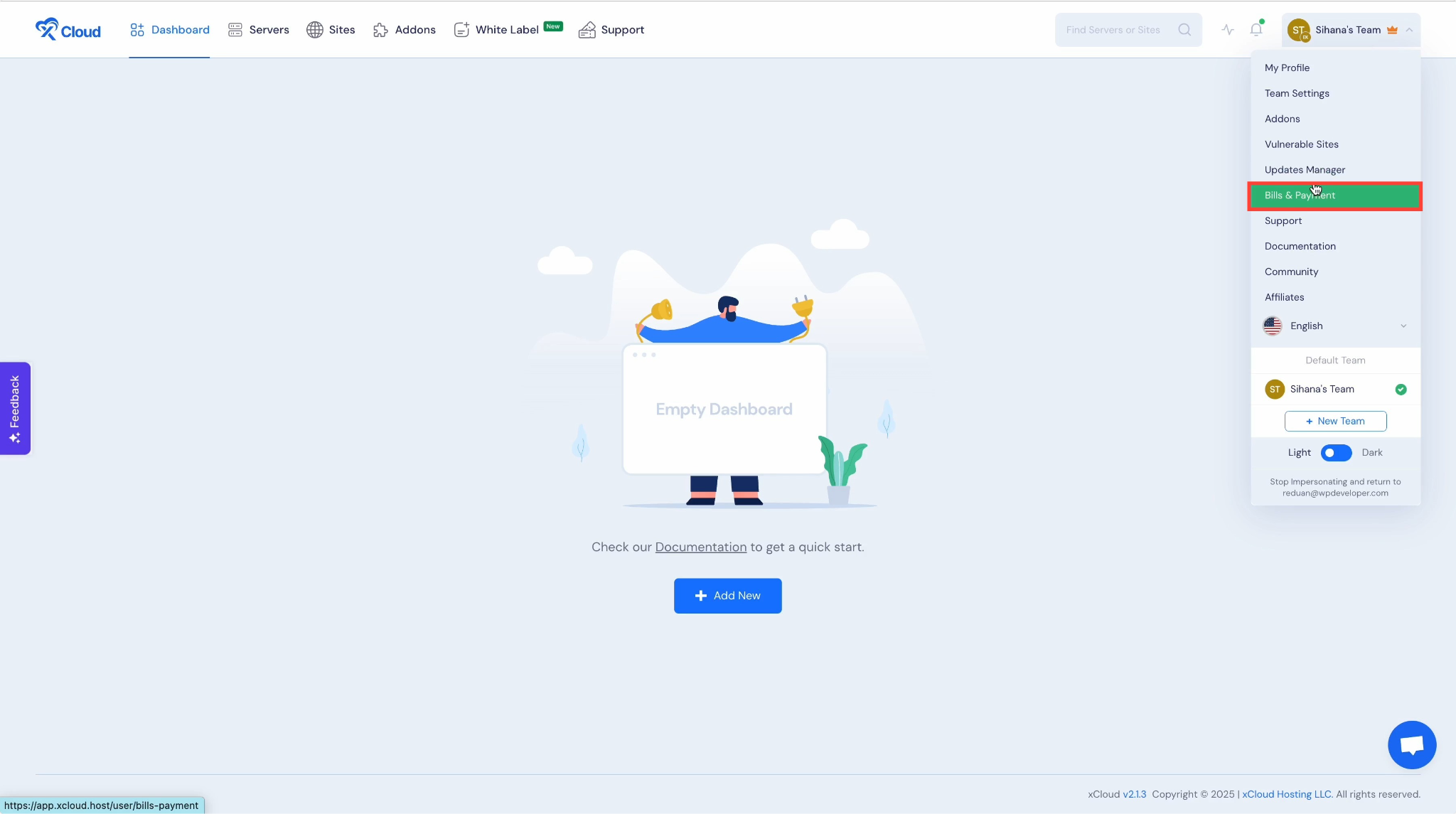
From your xCloud Dashboard, click on “Bills & Payment” in the top bar menu.
Step 2: Access Team Packages #
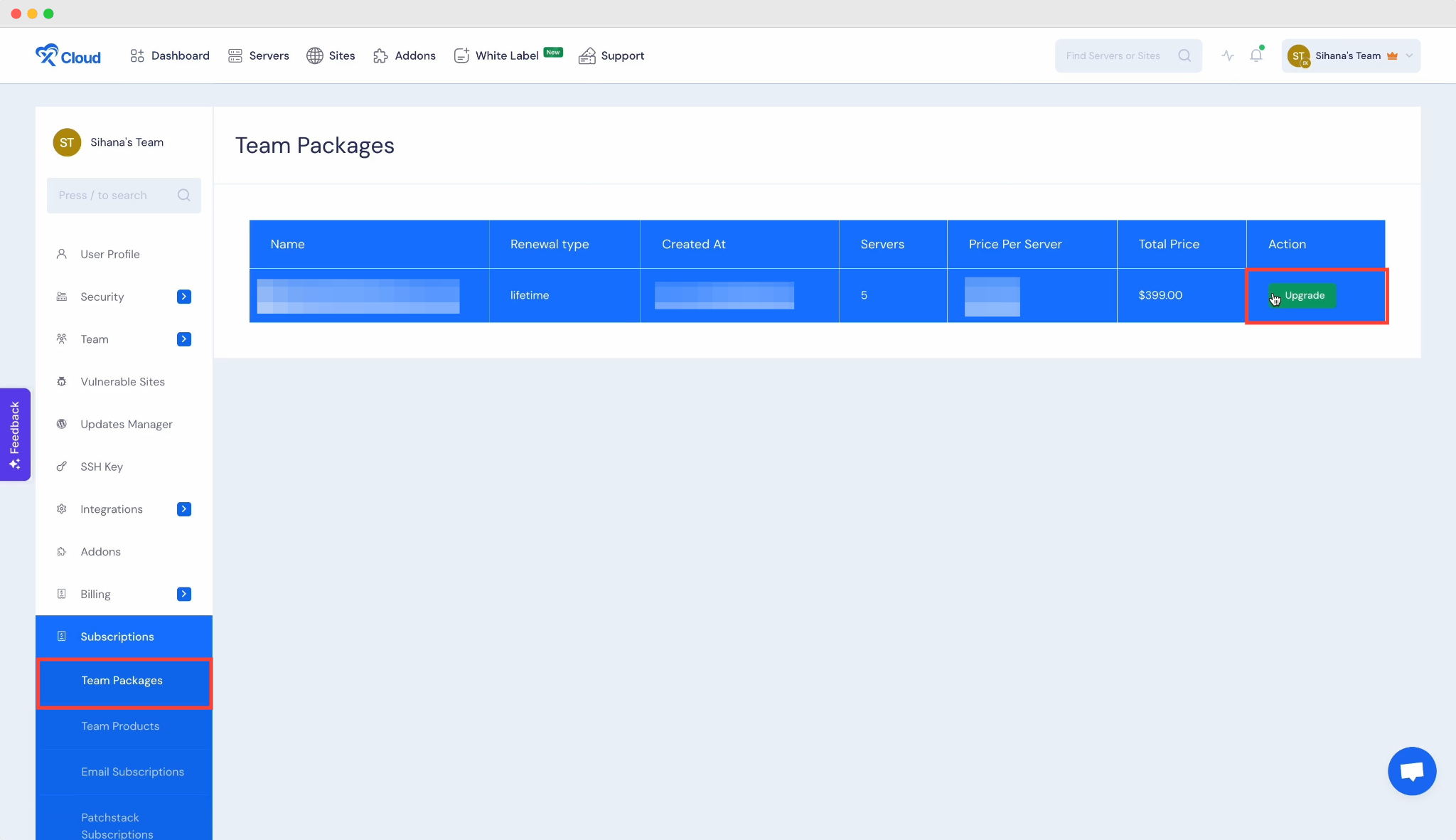
From the sidebar menu, navigate to Bills & Payment → Team Packages. Once there, click on the “Upgrade” button.
Step 3: Choose a Plan to Upgrade #
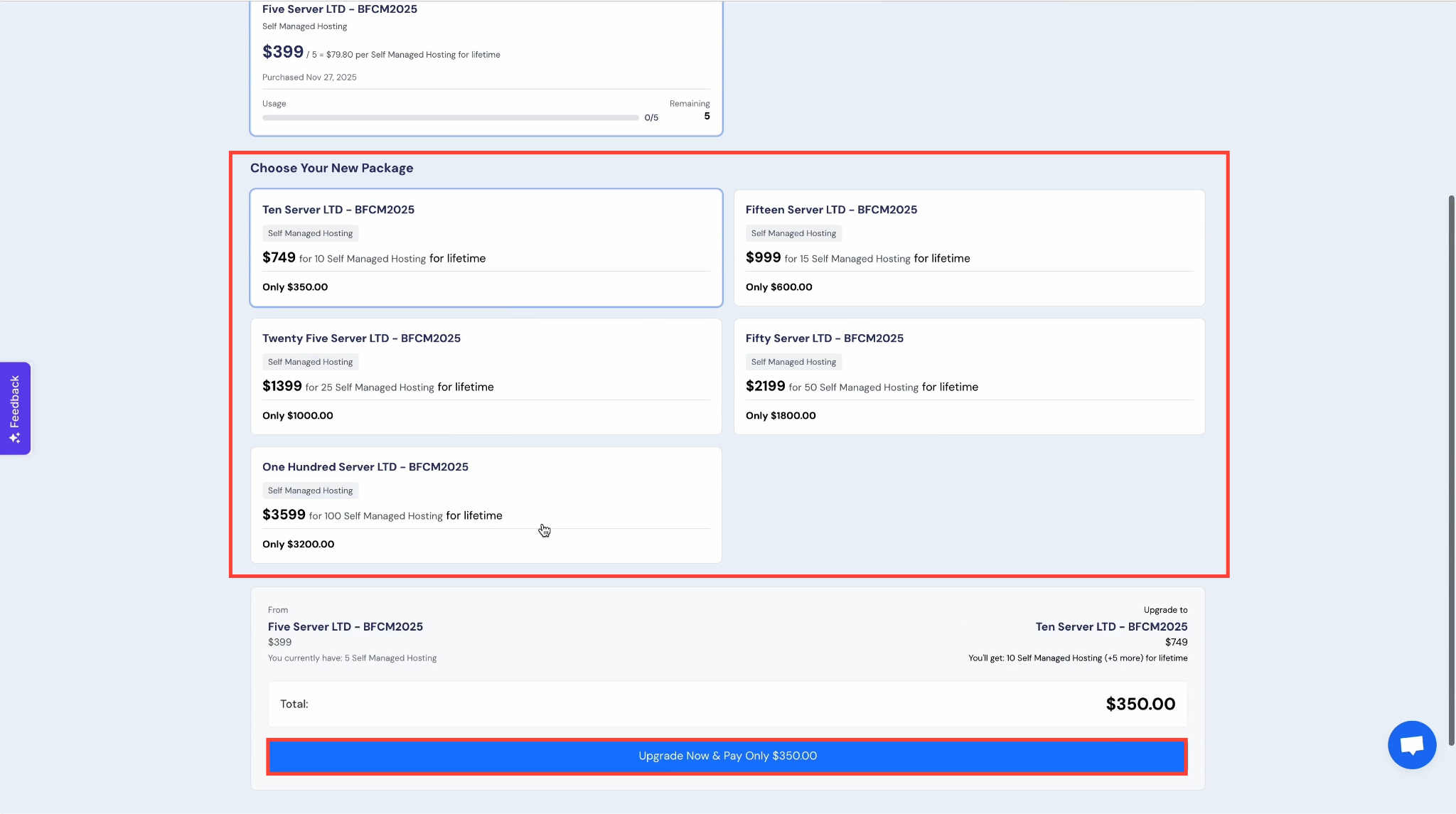
Select your preferred plan and then click on “Upgrade Now & Pay” to proceed with the payment.
And that’s is how easily you can upgrade your existing lifetime deal pack easily in just a few clicks.


