




Deploy your AI Agent in 1-Click – Managed  Hermes Agent Hosting  starts from $9.99

Changelog

xCloud Changelog

We’re constantly making xCloud better with new features and improvements. Look at what we’ve got now and tell us what else you want!

  • No categories

New Features

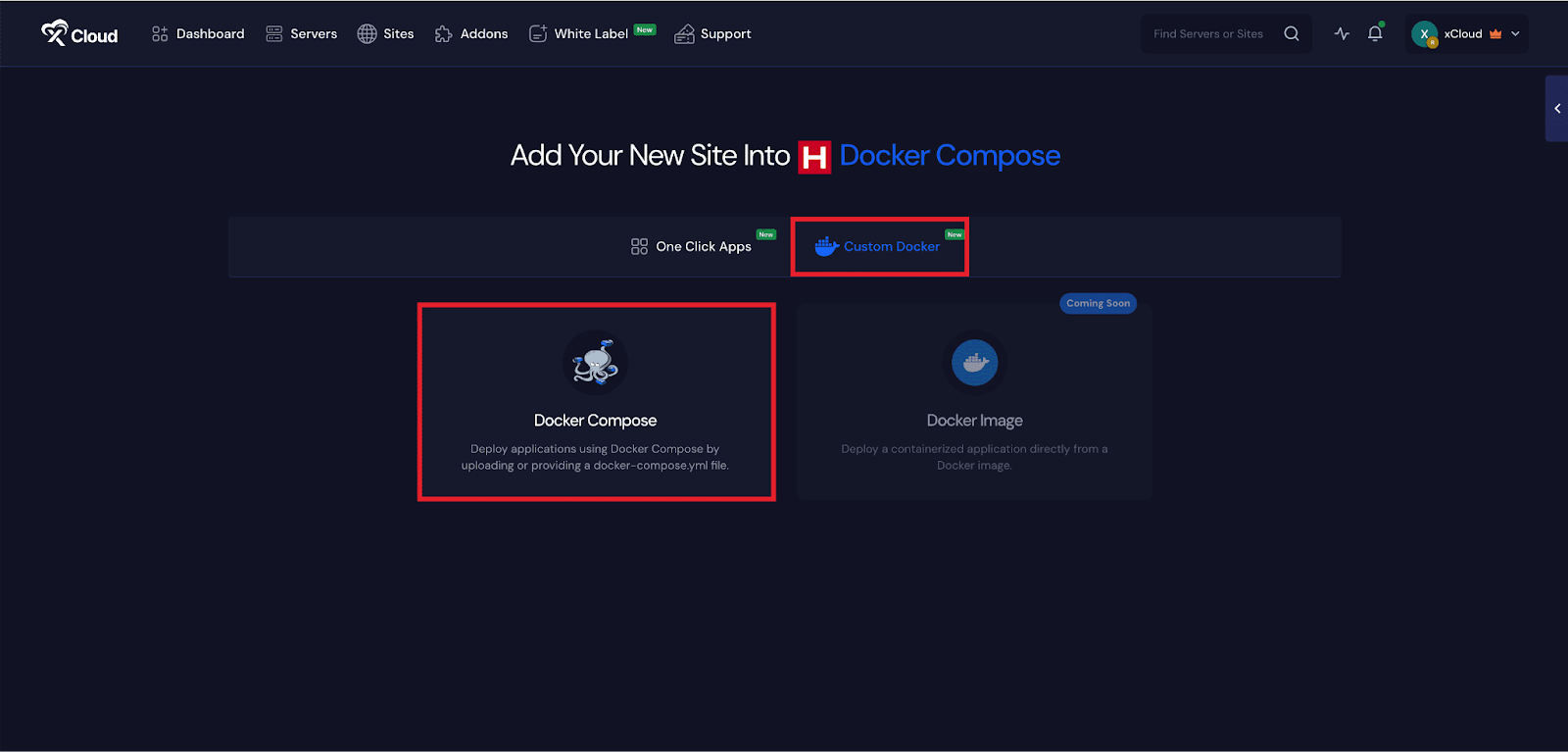
  • Custom Docker with Docker Compose – You can now deploy full multi-container applications on xCloud using Docker Compose. Launch a docker application either by providing a public Compose file URL or by pasting the file directly – no complex setup required
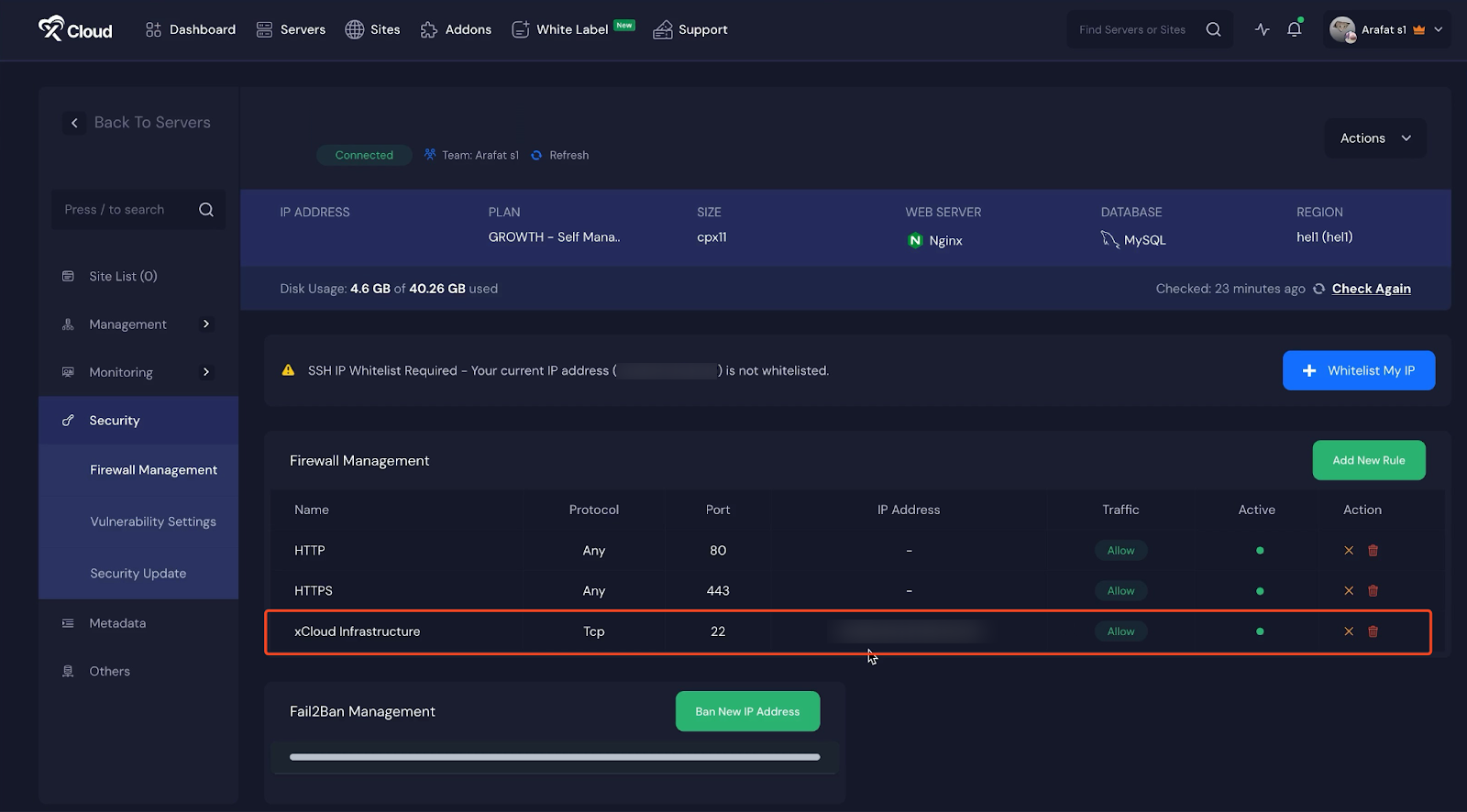
  • SSH Access Lockdown – Secure your servers by restricting SSH(22) access to trusted IP addresses only. Your active IP and required xCloud infrastructure IPs are automatically whitelisted to keep your server secure and accessible.
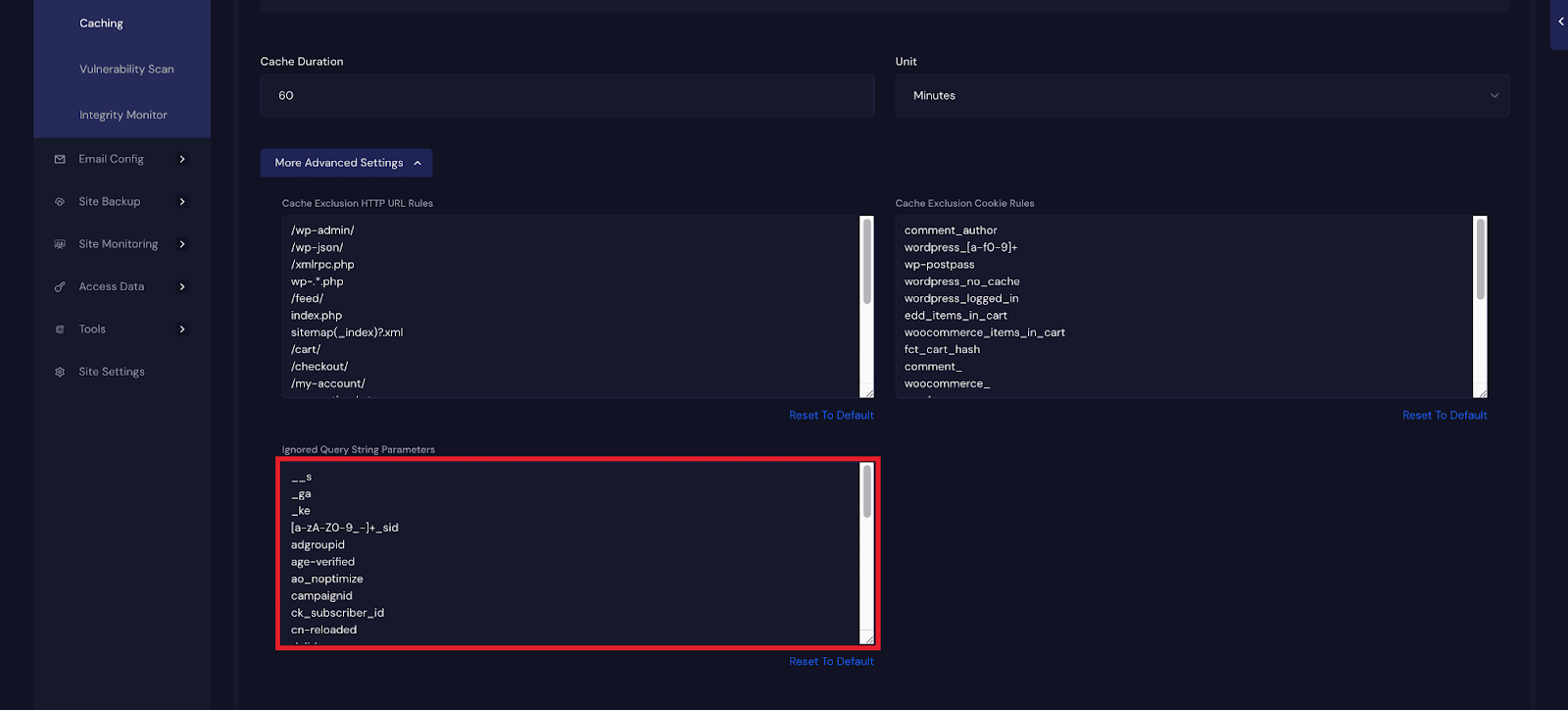
  • Allow Caching of URLs With Query Strings – Improve performance for pages with query parameters like utm_source, gclid, or fbclid. Choose which parameters to ignore directly from the xCloud dashboard to enable caching, boost load times, and reduce server load without affecting tracking.
  • Added Hungarian language support for a fully localized xCloud experience.
  • Enhanced site cloning with clearer errors and an easier retry flow.
  • Fixed an issue related to the Fail2Ban compatibility.
  • Enhanced site cloning by providing clearer error messages to retry for failed operations.
  • Fixed SSL configuration sync issues in OpenLiteSpeed.
  • Resolved delayed UI updates after team deletion.
  • Fixed hidden action menus on White Label invoices.
  • Fixed cache rule tests to prevent validation errors.
  • No categories

New Features

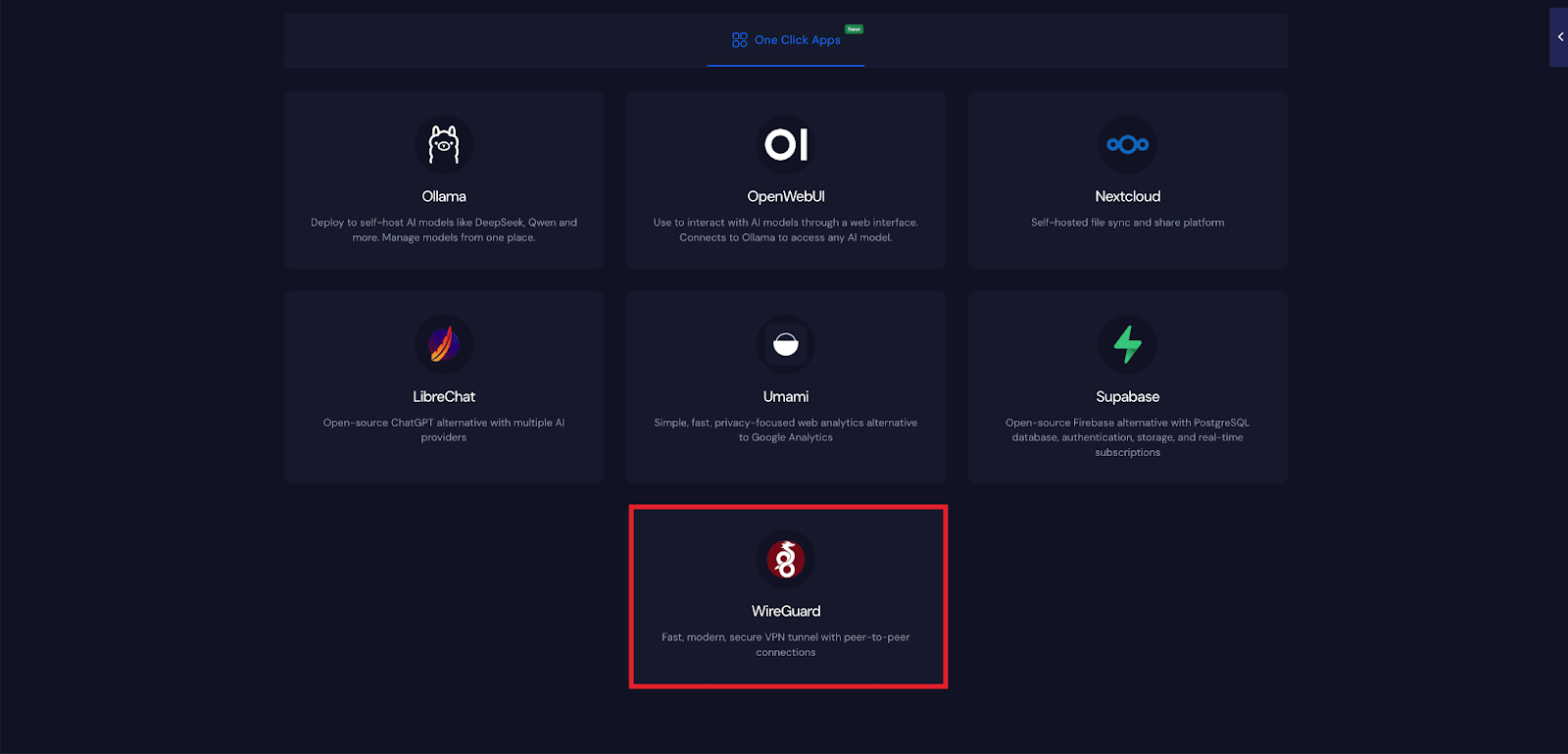
  • Deploy WireGuard with One Click Apps – WireGuard lets you launch a secure, high-performance VPN in just minutes. With one-click deployment on xCloud, you can protect your network using modern encryption, ultra-fast connections, and minimal system resources without any complex configuration.
  • Custom Docker with Docker Compose (Beta) – You can now deploy applications using Docker Compose on xCloud. This beta feature makes it easy to launch and manage multi-container applications in just a few clicks.
  • Fixed WordPress site detection issues during full server migration from RunCloud.
  • Fixed a UI issue on the Site Clone Progress screen.
  • Fixed the Update Manager tab count filter issue.
  • Fixed an SSL issue related to live domains in One Click Apps.
  • No categories

New Features

  • Front end issue fixed with Docker NGINX servers showing WordPress and other apps which are not supported
  • Fixed issue with Ollama site failed installation due to low storage.
  • Fixed icon issues of mobile-menu item
  • No categories

New Features

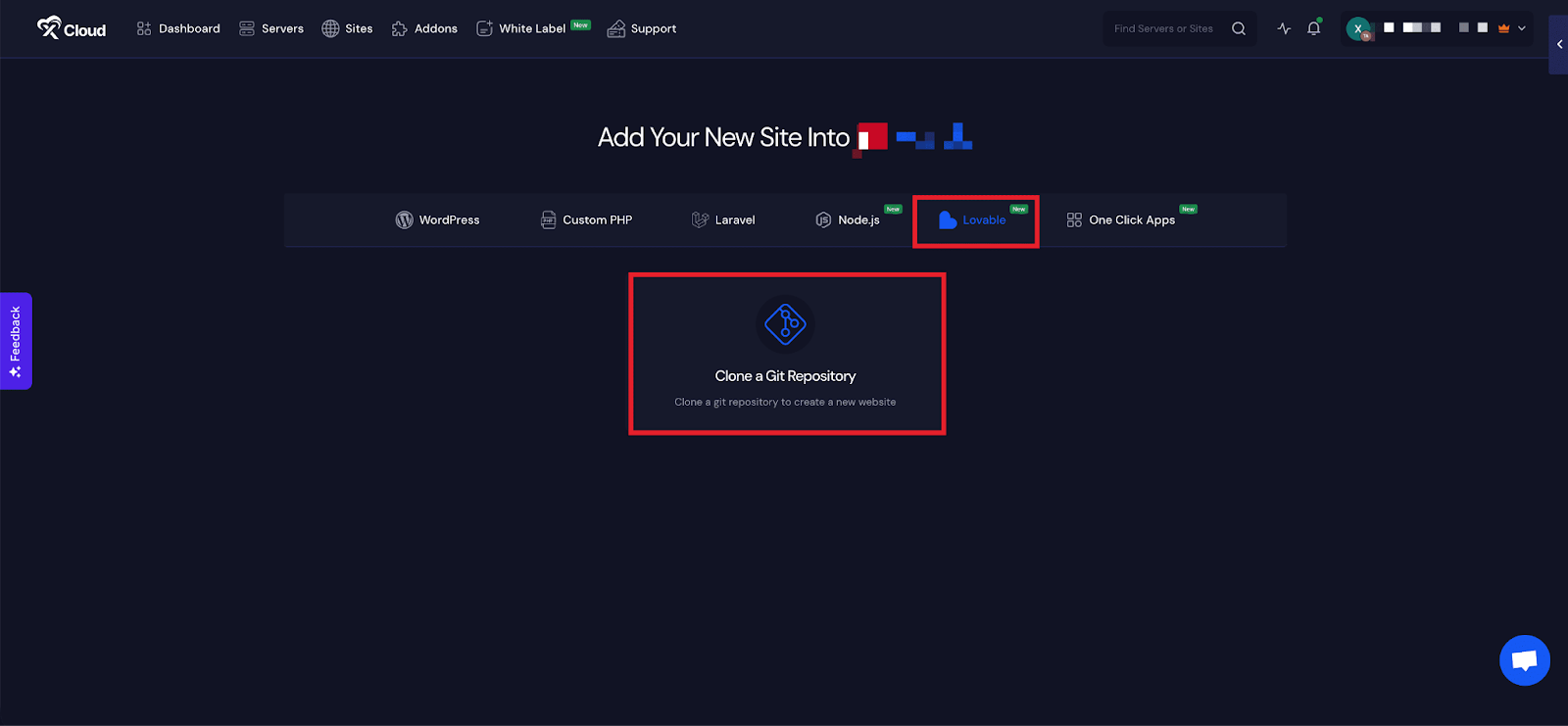
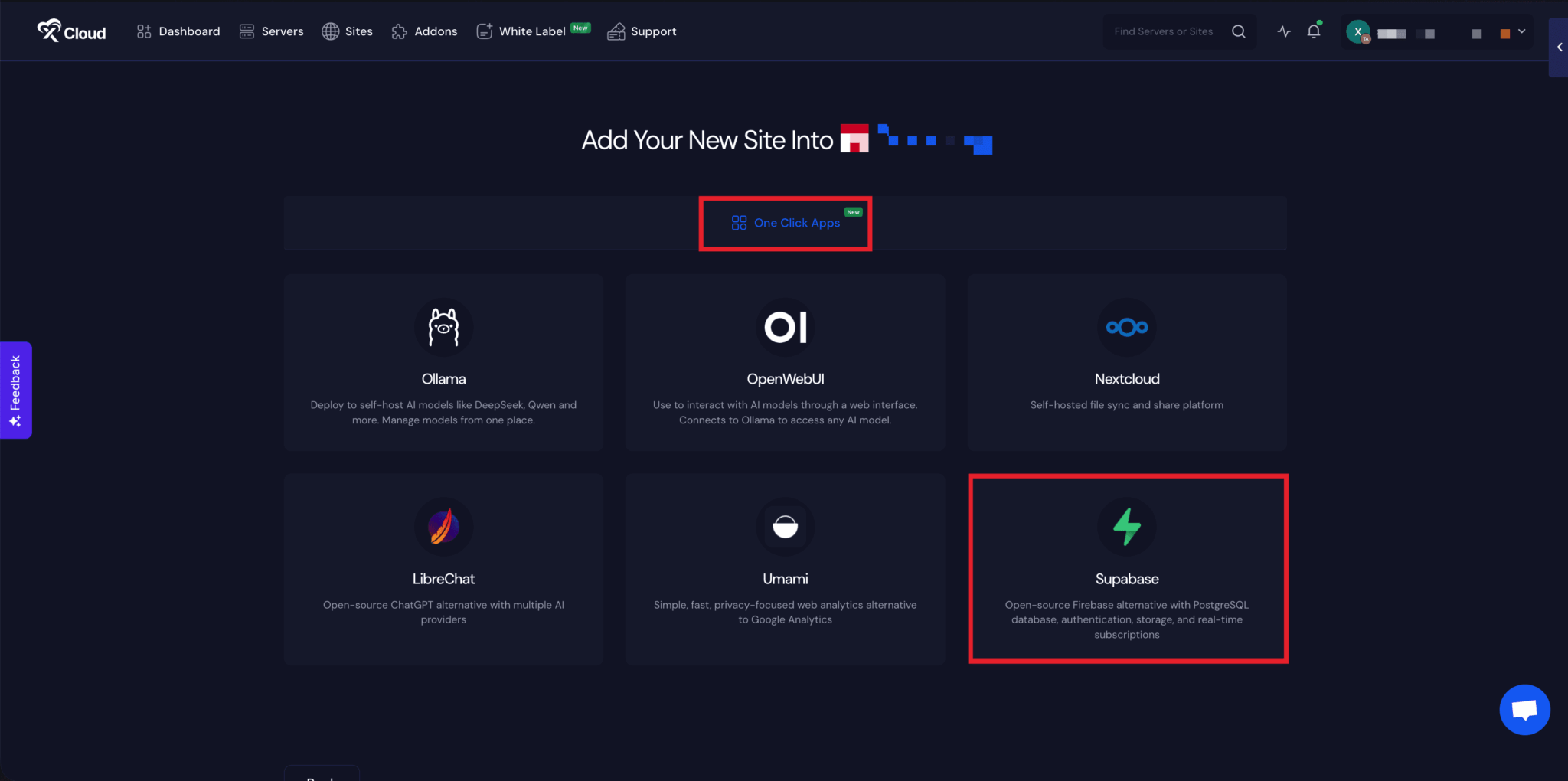
  • Deploy Lovable Applications with xCloud: Lovable lets you build and launch full-stack websites and applications by chatting with AI. With this, you can create frontend, backend, and databases automatically, with instant deployment and launch with xCloud – no code required. Moreover, you can easily connect Supabase with Lovable for a secure, scalable backend.
  • Added team and member search functionality to make team management more efficient.
  • Fixed an issue related to the site cloning.
  • Fixed an issue related to the duplicate server provider entries.
  • The issue with the Web Root path is fixed on OLS servers.
  • No categories

New Features

  • Lovable Hosting Beta Release: Lovable Hosting is now available in beta on xCloud. All users who registered through the early access form have been granted access.
  • Fixed issues when changing Docker-based One-Click Apps domains from demo to live.
  • Streamlined LibreChat installs and added copy buttons for admin credentials.
  • Fixed an issue related to the large team photo uploads.
  • Resolved as an issue where the “Add New Provider” window wouldn’t open again after closing it.
  • No categories

New Features

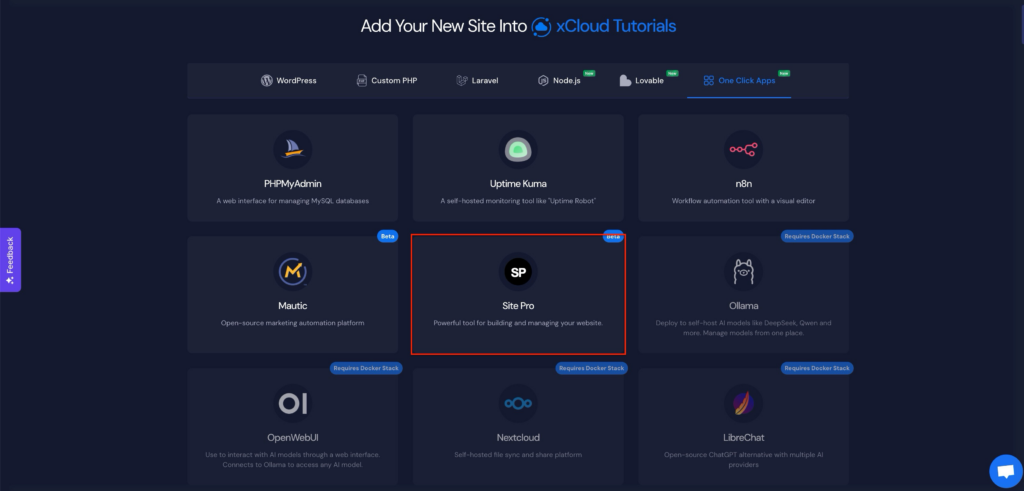
  • Deploy Site.pro with One Click Apps: Site.pro lets you launch AI-powered, no-code websites in just a few clicks. With this, you can design responsive sites using a drag-and-drop editor, AI-assisted layouts, and ready-made templates.
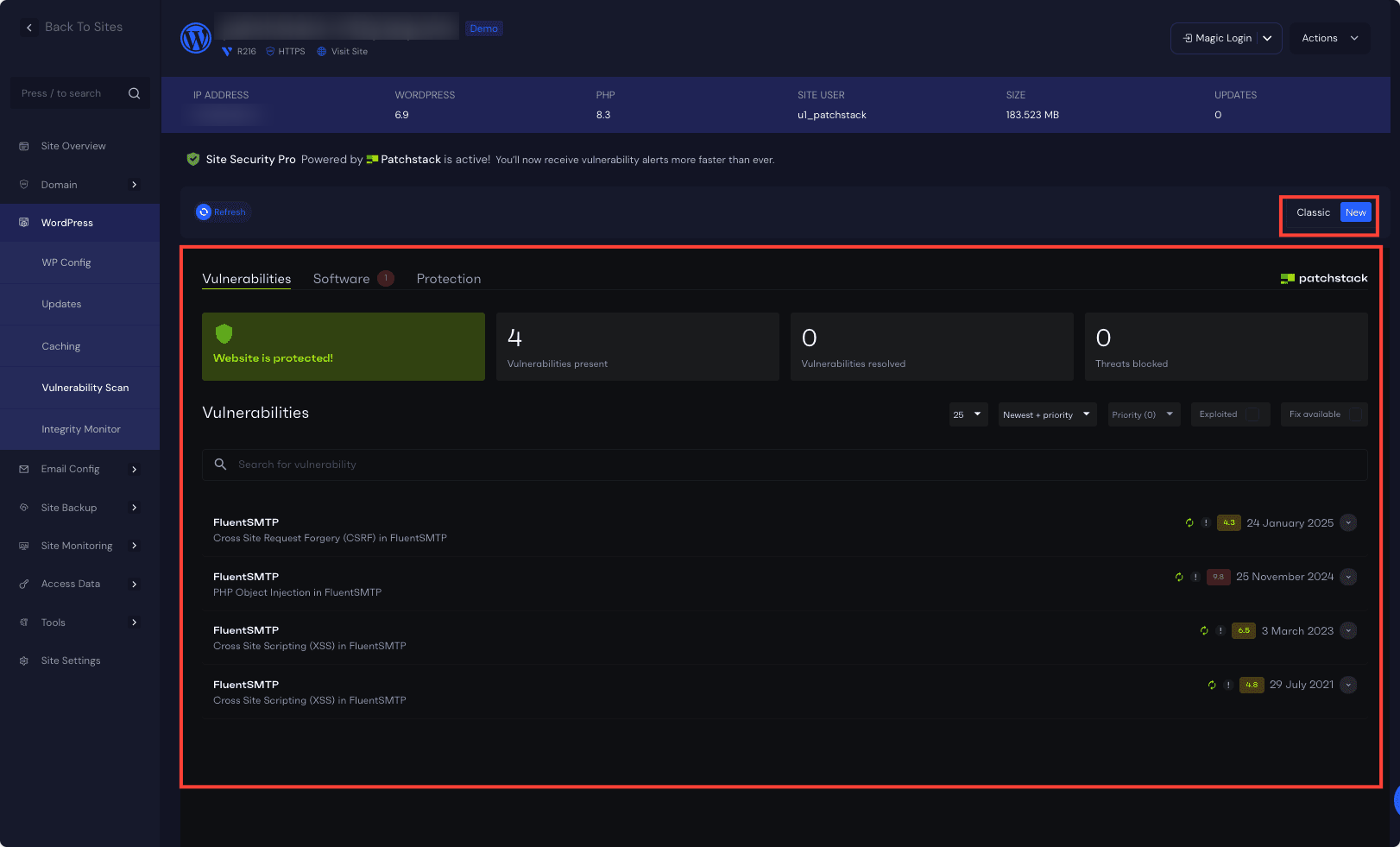
  • Added retry functionality for failed Site Security Pro powered by Patchstack activations with real-time updates.
  • Increased the SFTP backup storage IP address character limit from 20 to 200 characters to support longer IPs and domain names.
  • Resolved timeout issues when applying bulk backup settings to large site groups.

  • No categories

New Features

  • Site Security Pro powered by Patchstack is now available for $2/site for a limited time. Site Security Pro now comes with an integrated Patchstack Dashboard for a faster, more seamless security experience.
  • Beta access for Supabase One-Click Application.

  • Beta access for the Supabase One-Click Application.
  • Improved ticket creation experience with new Switch controls for Magic Login and SSH Access. Added clear helper text and better spacing to make support permission options easier to understand.
  • Added UI to updated Nextcloud admin password.
  • Fixed a bug where PHP versions were not updating correctly during server setup.
  • PHP version info now syncs properly for both Nginx and OpenLiteSpeed servers.
  • Fixed the provider connection check issue on the white-label settings page.

  • No categories

New Features

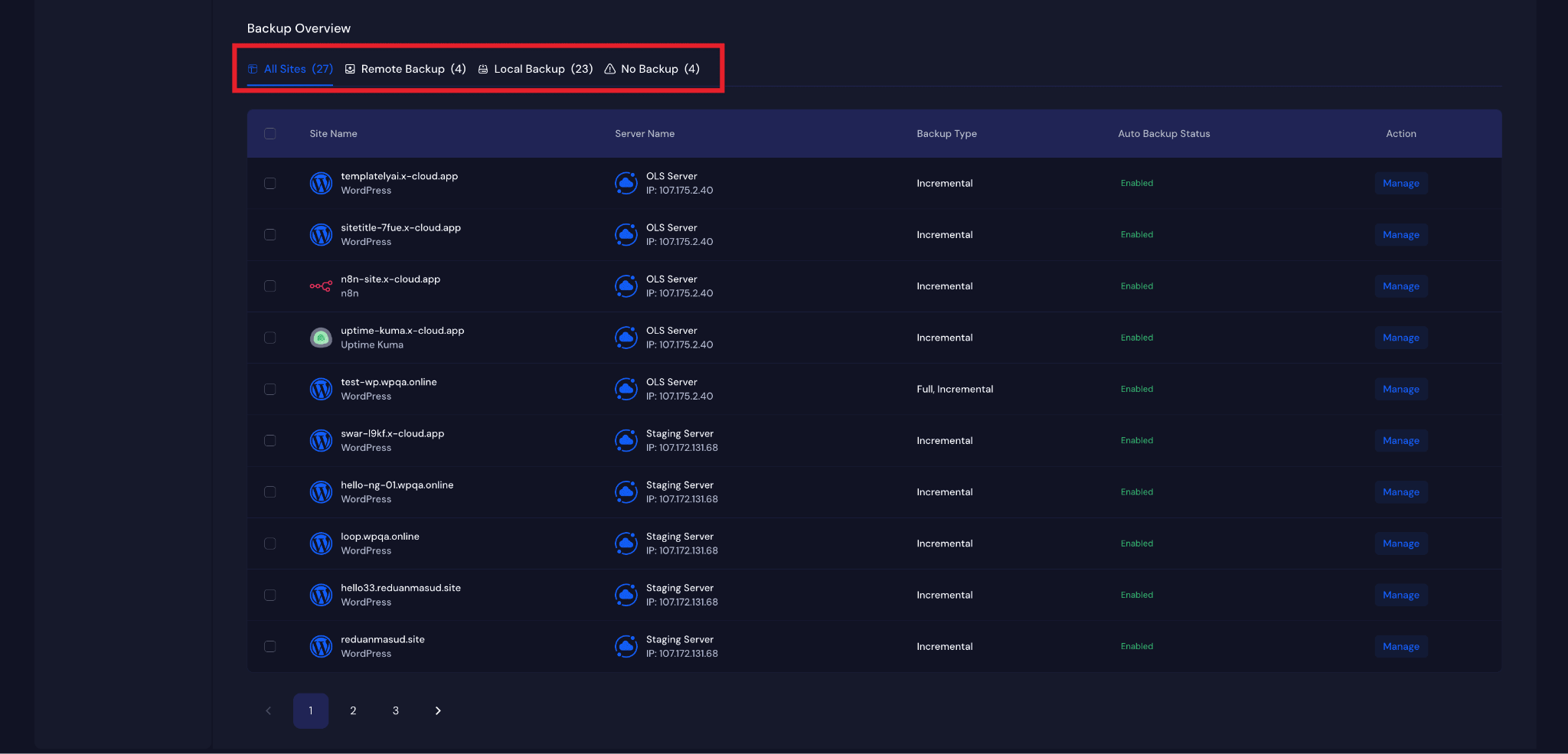
  • Global Site Backup Feature:
    – Central Site Backup Setting Page under Team
    – Manage and monitor all Site Backup settings from one place
    – Site backup feature is now available in the Site Creation page.
  • Root SSH access security improved by disabling login with the root password (key-based only).
  • Site backup UI improvement related to auto backup and custom settings.
  • Fixed issue with incremental site backup bugs.
  • Fixed issue with ticket SSH permission action.

  • No categories

New Features

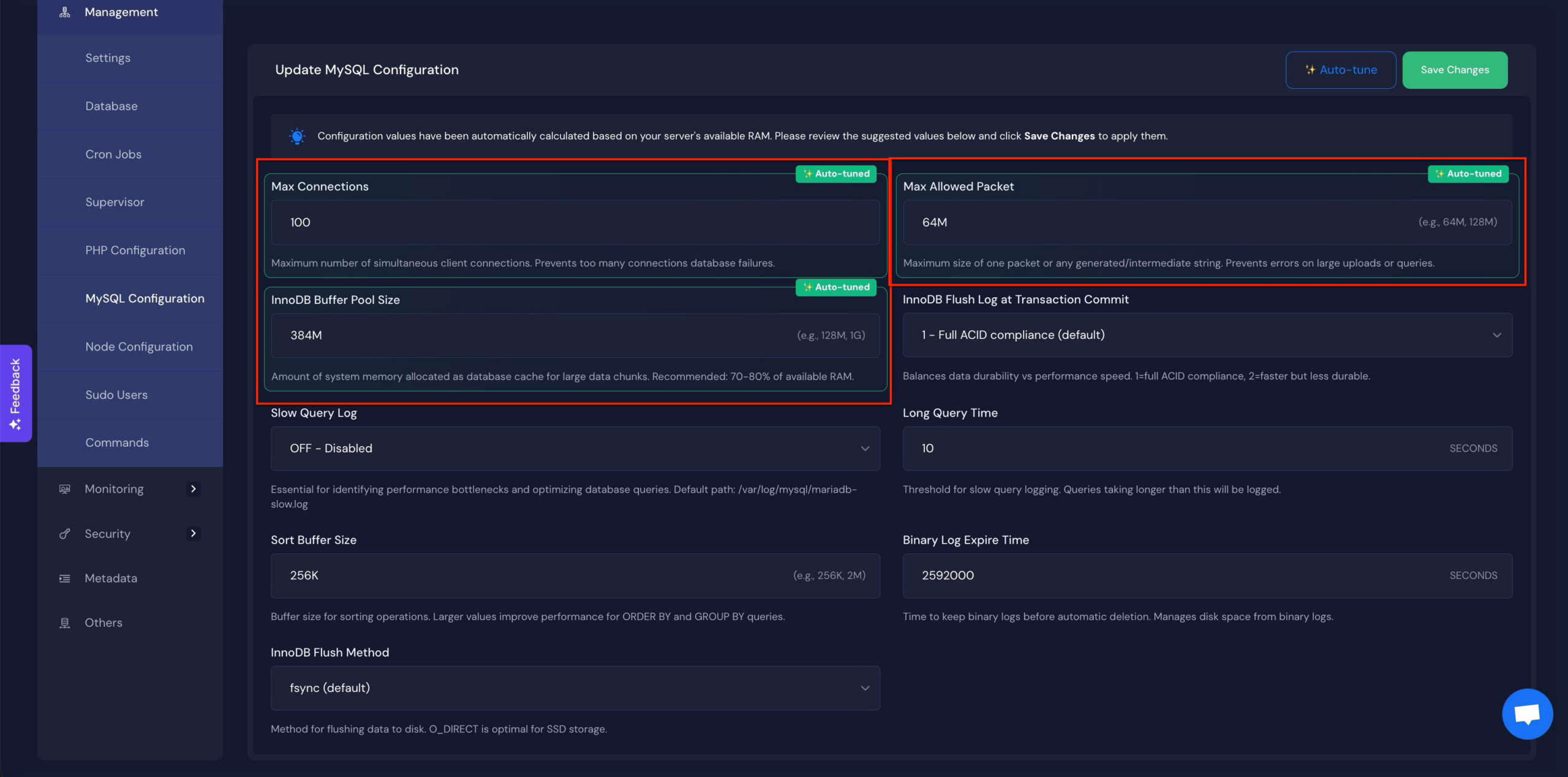
  • Auto-Tune MySQL/MariaDB Configurations – One click Auto Tune feature automatically analyzes server resources and applies optimized values for Max Connections, Max Allowed Packet, and InnoDB Buffer Pool Size.
  • OPCache Auto-Enablement – OPCache is now automatically enabled whenever PHP is installed, removing the need for manual activation.
  • Added LTD conversion option for self-managed servers directly from the server sites page.
  • Improved storage checks for Docker apps to prevent failed installations.
  • Redesigned the unused items warning banner with a cleaner, more informative UI.
  • Enhanced Stripe payment handling and reliability for 3DS and recurring payments.
  • Fixed package assignment issues and added safeguards against duplicate assignments.
  • Added stronger duplicate job prevention across billing processes.
  • Improved site file removal with better logging and error handling.
  • UI/UX tweaks, including routing fixes and cleaner visibility for Docker site options.
  • Resolved stored invoice job execution errors and improved job timing.

  • No categories

New Features

  • Users Can Resize LTD Plan on their own now.
  • Users (including reseller clients) can now view pending server setup items directly on their dashboard after completing a purchase from the cart.
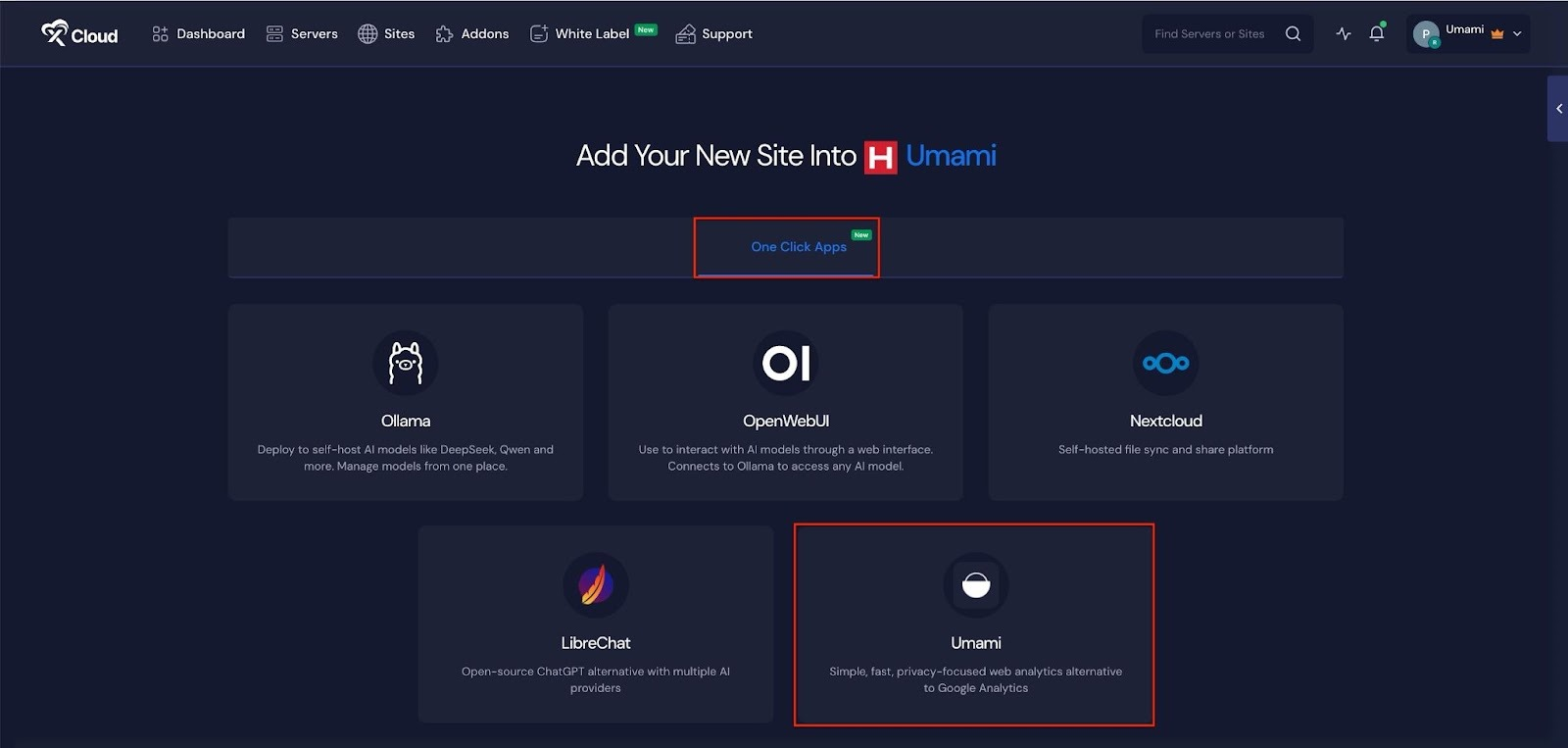
  • Storage Space Validation for Docker Apps – Added pre-installation storage checks for all containerized one-click applications (Umami, Nextcloud, LibreChat, OpenWebUI, Ollama). The system now validates available disk space before deployment to prevent installation failures due to insufficient storage, with configurable minimum requirements per application type.
  • White Label – Added support for switching between paid plans and free plans
  • Issue fixed with White Label free subscription claim for LTD users