This site uses cookies and tracking technologies. You may accept all or customize according to your preferences.
Customize Consent Preferences
Please select whether you consent to our use of cookies and related technologies ("Cookies"), as described in our Privacy Policy and Cookie Policy. Expand each section below for more information. You can return at any time from the same web browser to update your preferences. Please note that resetting your browser's cookies will reset your preferences.
▶
Required Cookies
Enabled
These Cookies are necessary for core features of this site to operate properly. Because they are needed for the site's operation, they are always set to "Active".
Company
Domain
Userback
app.userback.io
FirstPromoter
xcloud.firstpromoter.com
Crisp
https://crisp.chat
▶
Functional Cookies
These Cookies allow us to analyze site usage in order to evaluate and improve performance.
Company
Domain
Microsoft Clarity
clarity.microsoft.com, www.clarity.ms
Google Analytics
analytics.google.com, www.google-analytics.com
▶
Advertising / Marketing Cookies
These Cookies help us measure the effectiveness of our marketing efforts, referral programs, and promotional activities.
Company
Domain
Google Tag Manager
www.googletagmanager.com, googletagmanager.com
Meta (formerly Facebook)
connect.facebook.net, facebook.com
Deploy your AI Agent in 1-Click – Managed Hermes Agent Hosting starts from $9.99
🌟 OpenClaw Repair: AI-Powered OpenClaw Repair Agent is now available inside the xCloud dashboard for instant diagnosis and recovery. Run one-click AI-assisted health checks for the gateway – no SSH or manual debugging required.
✨ Improvements
📌Added temporary sudo users with 12-hour auto-expiration. 📌Added granular domain search & replace controls for updates and SSL changes. 📌Improved domain updates with real-time progress and duplicate prevention. 📌Improved UI consistency across buttons, layouts, and mobile views. 📌Improved OpenClaw Control UI domain and alias access handling.
🔧 Issues and Bug Fixes
📌Fixed Free Plan billing for Custom/Any, DigitalOcean, and GCP providers. 📌Fixed WordPress version display after core updates. 📌Fixed 502 errors on the Site Snapshots page. 📌Fixed an issue related to the Site Log export failures. 📌Fixed staging push issues with Patchstack. 📌Fixed resource creation restrictions on inactive packages. 📌Fixed OpenClaw server page crashes.
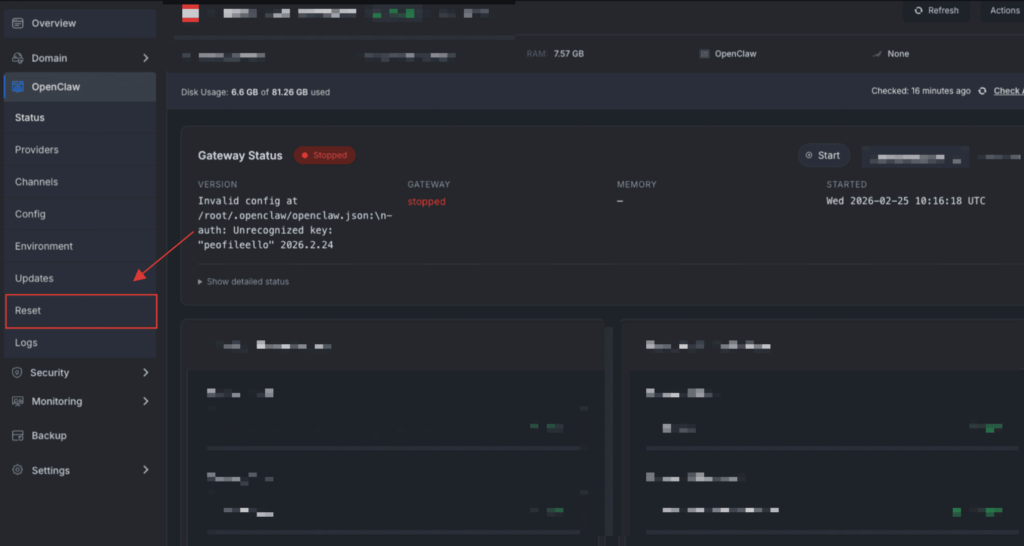
🌟 Update: OpenClaw Reset (No new server needed): You can now reinstall OpenClaw from scratch on the same server using OpenClaw Reset. With one click, it creates a backup, reinstalls a clean setup, and generates fresh credentials.
✨ Improvements
WireGuard updates now run async — no more timeouts during bulk updates
n8n now requires Node.js 22 (upstream requirement)
SSH password auth blocked for root on OpenClaw servers — prevents accidental lockout
PHP Config modal now fully responsive on mobile
Shorter SSH key display on the “Connect Existing Server” page
Billing Type Selector & Free Plan — Server creation now supports subscription, lifetime, or free plans. Free plan users get a streamlined flow.
Site Name Sorting — All Sites page now has clickable A-Z sort on the Site Name column.
🔧 Issues and Bug Fixes
Fixed the pCloud backup deletion crash issue
Fixed the issue with Server deletion, and now it no longer gets stuck in the deletion_failed state
Site sorting across multiple servers now works correctly
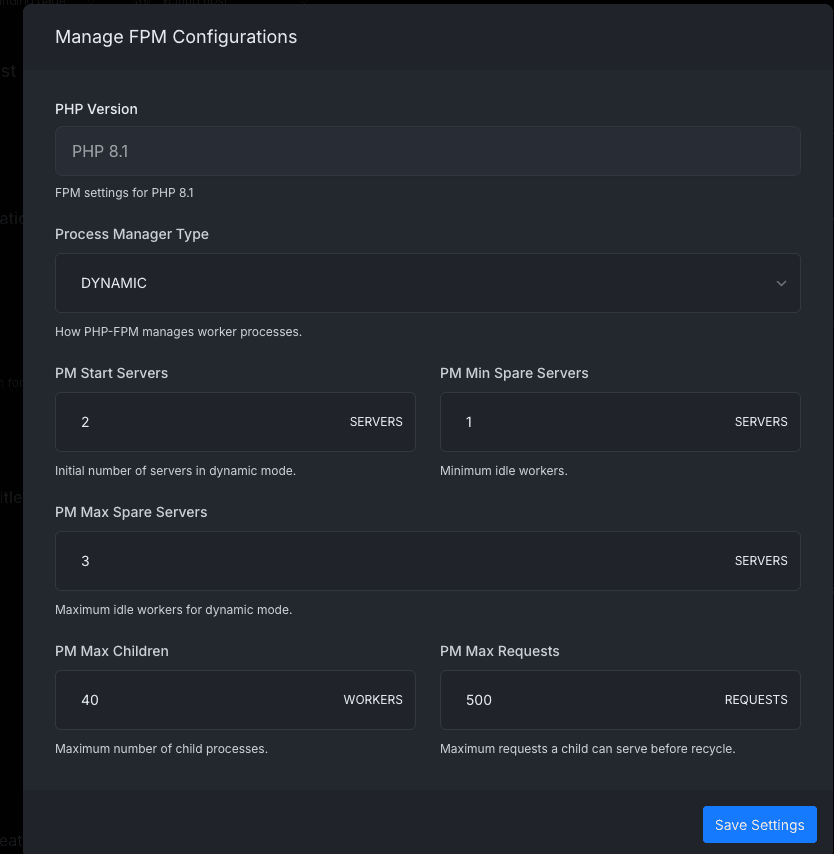
🌟 FPM Configuration: Site-Level PHP-FPM Configuration Is Now Available on xCloud. You can now control PHP-FPM settings for each site directly from the dashboard without SSH access or manual configuration files. This update lets you tune PHP worker behavior, manage resource usage per site, and handle traffic spikes more reliably while avoiding risky server-wide changes.🚀
Process Manager Type: Process manager mode used by PHP-FPM to handle requests.
PM Start Servers: Number of PHP worker processes started when PHP-FPM launches.
PM Min Spare Servers: Minimum number of idle PHP worker processes kept ready.
PM Max Spare Servers: Maximum number of idle PHP worker processes allowed.
PM Max Requests: Number of requests a PHP worker handles before restarting.
PM Max Children: Maximum number of PHP worker processes that can run at the same time.
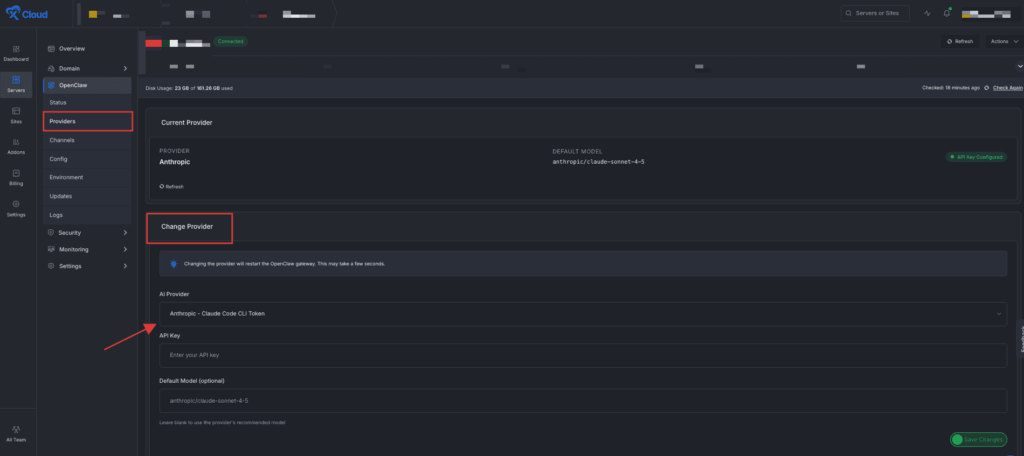
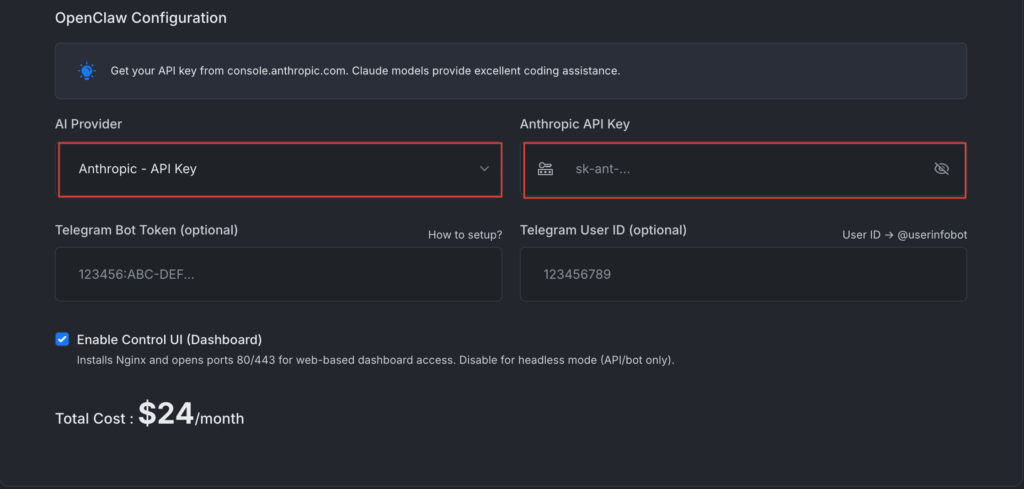
🦀 OpenClaw Hosting — Update. Big improvements to the OpenClaw one-click hosting on xCloud:
Anthropic API Key support added
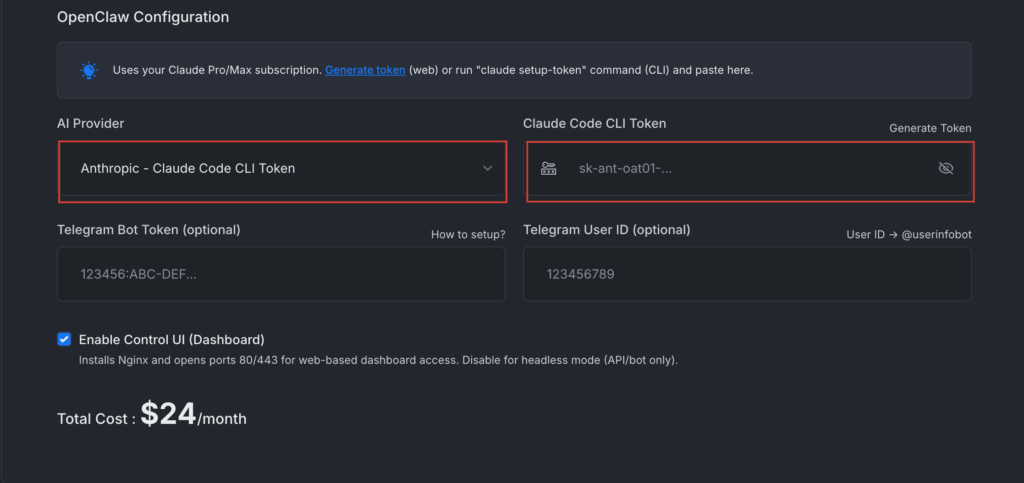
Claude Code Token support — use your Claude Pro/Max subscription with OpenClaw
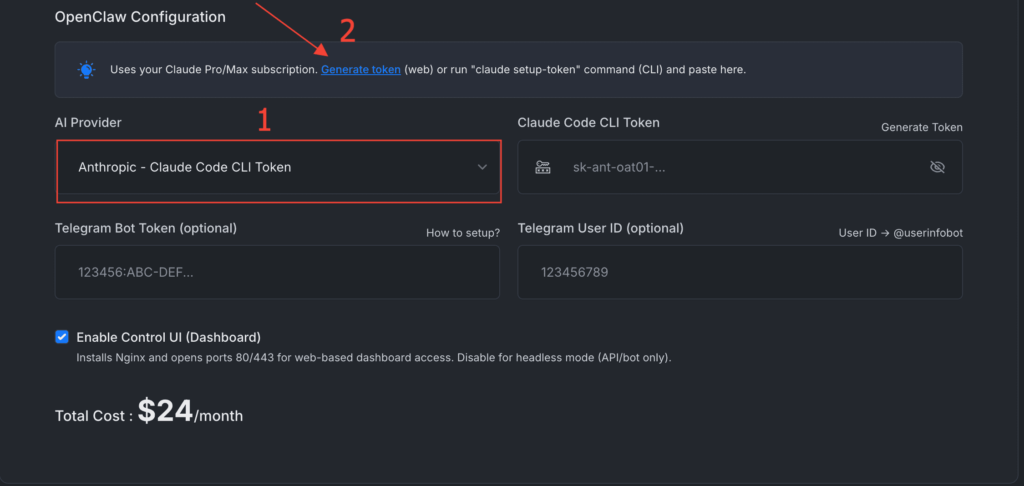
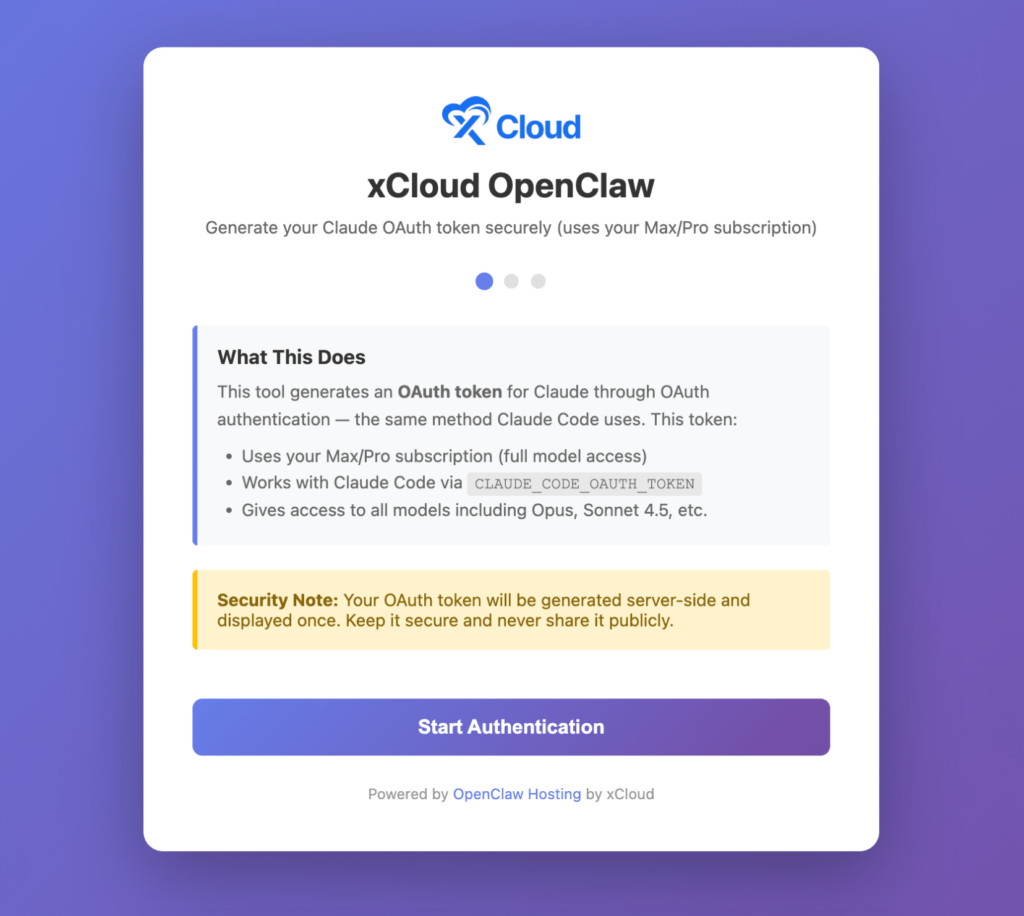
Browser-based token generation — Now, there is no need to install the Claude Code CLI manually. Generate your token directly from your browser. This one is a game changer, and no one has done this yet 👏 First, select the Claude Code CLI option and then click on Generate Token.
Then a screen will appear, and it will help to generate a Claude OAuth token using the same OAuth flow as Claude Code, and the process is absolutely fluent.
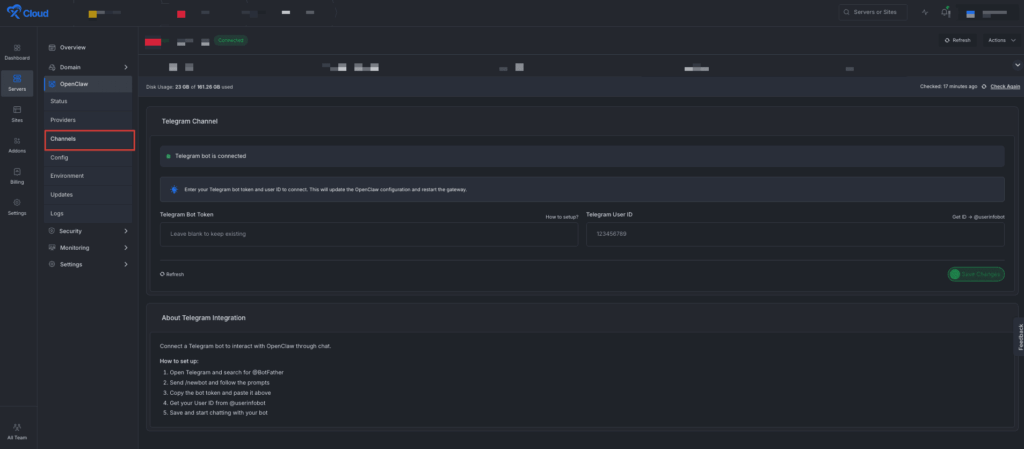
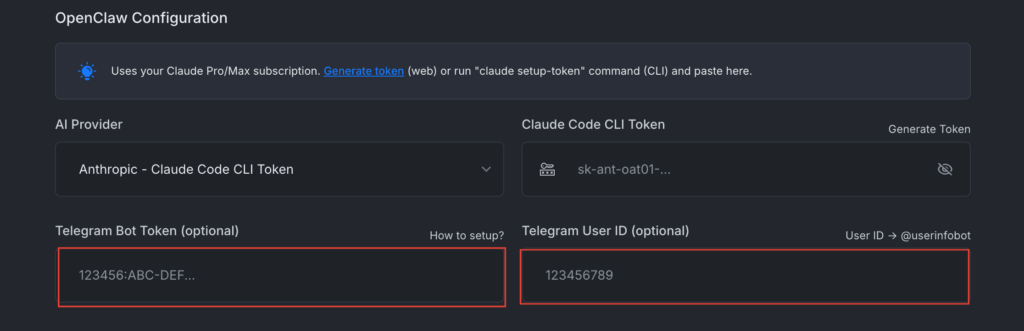
Telegram Improvements – Smarter auto-pairing: When you provide your Telegram User ID during setup, your account is automatically allowlisted. No more running commands to pair your account!
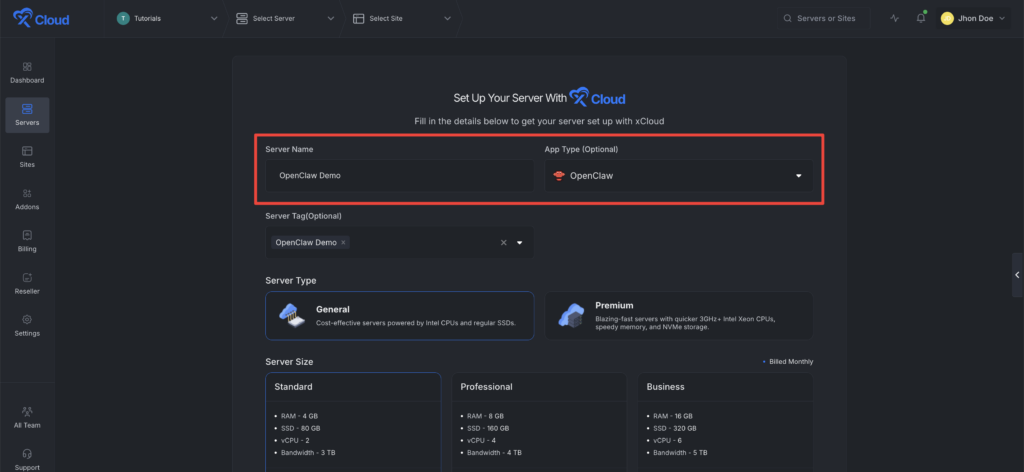
🌟 OpenClaw Hosting (Beta): Launch a fully managed AI agent on xCloud with one-click deployment and zero setup. OpenClaw runs on a dedicated managed server, comes pre-configured with messaging channels like Telegram, and lets you control real tasks, workflows, and integrations entirely through chat.
Ideal for individuals and teams who want a powerful AI assistant without handling infrastructure, updates, or security.
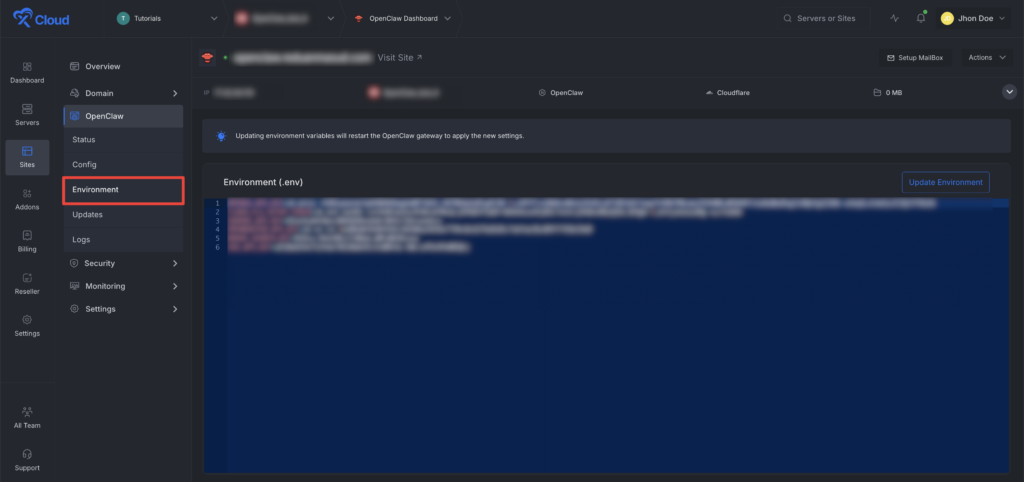
Get the environment editor to configure environment variables.
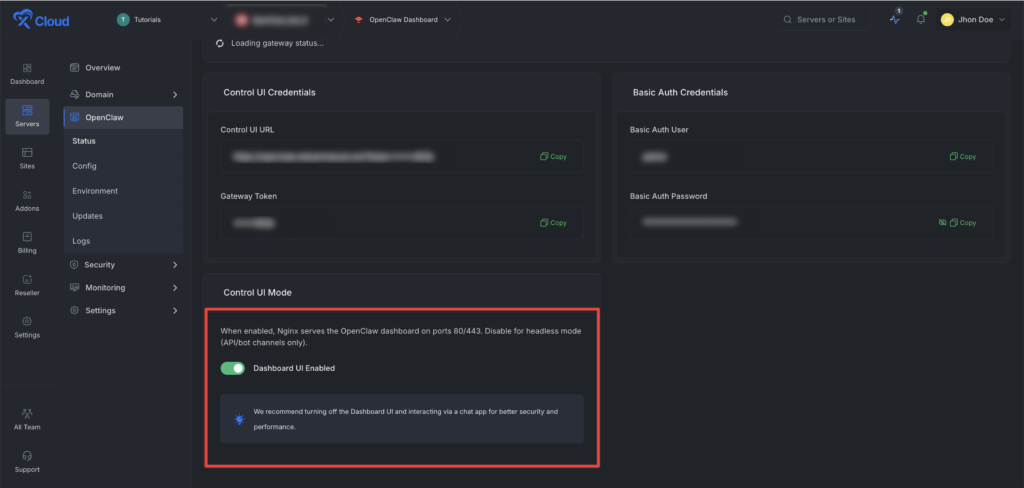
Control OpenClaw UI turn on/off right from the xCloud dashboard.
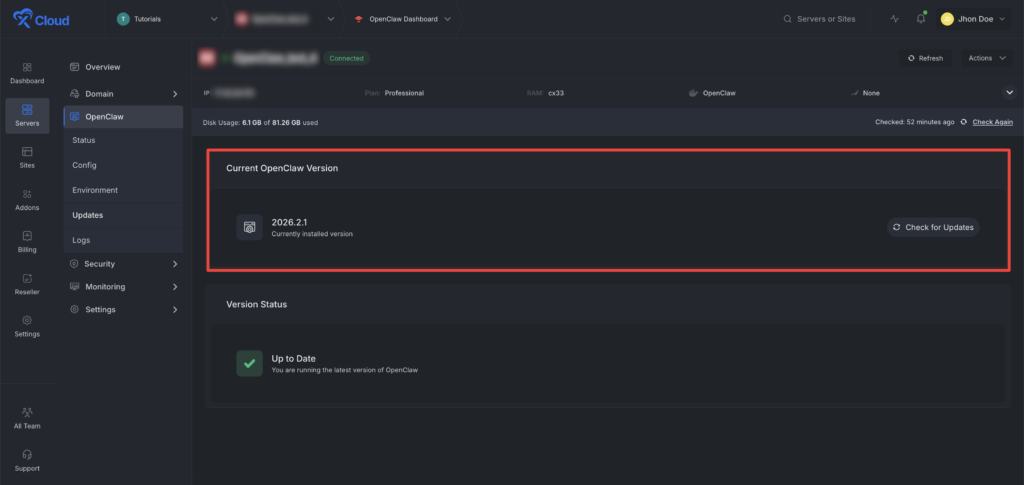
Control OpenClaw versions, check for the lates updates easily.
AI agent maintains long-term context, executes real tasks, manages files, and connects to external APIs
One-click deployment on xCloud Managed Servers with no Docker, SSL, or manual setup
Works across Telegram messaging platforms.
Bring your own API keys for OpenAI, Gemini and more models. Anthropic is also coming very soon.
Manage multiple messaging channels from a single dashboard
Scale CPU, RAM, and storage at any time with fully managed updates and security
Available only on xCloud Managed Servers and requires more than 4GB RAM.
Cannot be installed on external or existing servers and runs OpenClaw only
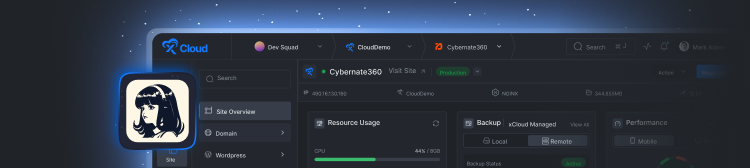
xCloud UI 2.0 introduces a redesigned dashboard built to make site and server management more intuitive and efficient. This release focuses on faster navigation, clearer visibility, and simpler daily workflows through a more structured and organized xCloud control panel.
✨Revamped Overview Dashboard
The new Main Overview Dashboard provides a single place to view your overall activities of your team. It shows key information such as servers, sites, vulnerable sites, backups, and billing, helping you manage more quickly.
✨New Site Lists Dashboard
The All Site Lists Dashboard has been redesigned to simplify managing multiple sites. Site statuses are clearer, and bulk actions allow you to perform common tasks like backups, site enable or disable, and security actions directly from the list without switching between individual sites.
Default View and Grid View for All Sites List
The All Sites List Dashboard opens in Default View, which is designed for managing multiple sites efficiently. In this view, you can use bulk actions and quick controls to perform tasks across many sites at once.
You can switch to Grid View to see each site’s information more clearly. Grid View focuses on visibility, showing site details and status in a more visual layout, making it easier to review individual sites at a glance.
✨Redesigned Single Site Overview Dashboard
The Single Site Dashboard now displays important site details in a cleaner layout. Resource usage, backups, performance, security, domains, updates, caching, and recent activity are easier to view and manage from one place.
✨Updated Top Bar and Sidebar Navigation
Navigation has been improved with an enhanced Top Bar and Sidebar. Key actions remain accessible, and moving between servers, sites, and settings is more straightforward and consistent.
✨Bulk Actions, Filters, and Sorting
Bulk actions, filters, and sorting options help reduce repetitive work. These tools make it easier to find, manage, and take action on multiple sites at once.
✨Improved Dark and Light Modes
Dark and light modes have been updated for better consistency across the platform. Improved contrast and spacing make the interface easier to read during long working sessions.
✨Standardized Icons and Tooltips
Icons are now consistent across the dashboard, and tooltips provide additional context where needed. This helps reduce confusion and makes actions easier to understand.
✨Updated Color System
The updated color system improves contrast and visual hierarchy. System and site statuses are easier to identify at a glance, improving overall readability.
🔔 In this first phase, the new UI is available on key pages. Other pages and sections will be updated gradually in upcoming releases. Your feedback is important during this transition. Use the feedback button from the dashboard anytime to help us improve the experience as we continue refining xCloud.
Mitigated another critical vulnerability (CVE-2026-23800, CVSS 10.0) in the Modular DS (Modular Connector) plugin by force-updating all affected sites to v2.6.0.
Issues & Bug Fixes
Issue fixed with Reseller pane’s logo with signup and login pages.
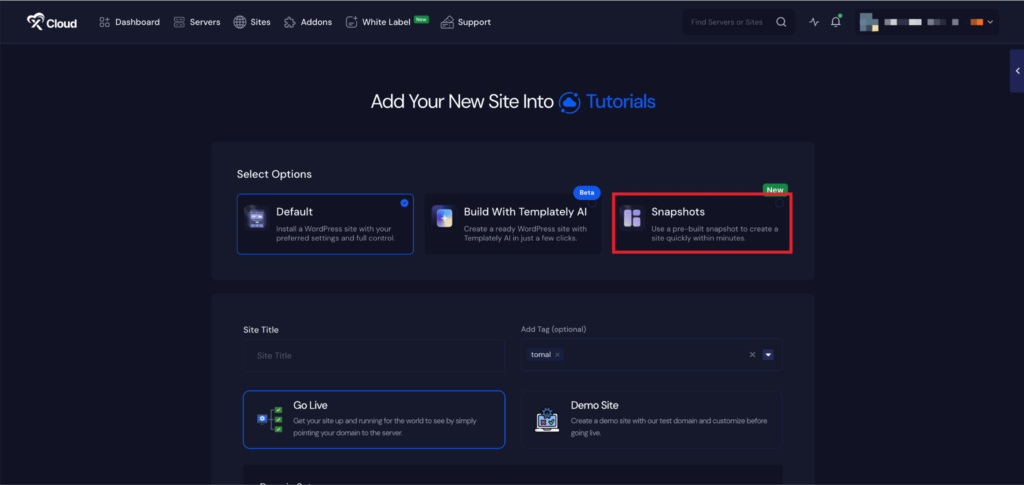
Site Snapshots – Create reusable snapshots of your WordPress sites, including files and database, and deploy them instantly on the same server or across different servers. Ideal for agencies and developers who need to spin up pre-configured sites quickly. Snapshot creation progress is tracked in real time, and all snapshots are managed from a dedicated section in your profile.
Node.js v24 is now available for installation on servers.
Improvements
Centralized Credential Security – Sensitive credentials are no longer sent via email by default. Server, database, and Redis credentials are now securely accessible from the dashboard with masked display and reveal or copy options. Email notifications include a new “Send Sensitive Info” toggle, disabled by default, for better security control.
Optimized OpenLiteSpeed PHP Workers – OpenLiteSpeed sites now automatically calculate the optimal number of PHP workers based on server CPU and RAM, replacing the previous fixed limit. This improves performance and resource utilization, with manual overrides still available from PHP Settings.
Smarter Server Reboot Notifications – Reboot notifications can now be snoozed for 3, 7, or 30 days, or disabled per server. Newly created servers (under 12 hours old) no longer trigger reboot alerts, and servers with auto-reboot enabled will not send unnecessary notifications. Notifications can be re-enabled anytime from the Security Update page.
Improved GitRepositorySetup – Git repository URLs now automatically append .git when missing, and the branch field defaults to main, reducing setup errors during Git-based deployments.
Staging and Demo Domain Customization – Staging and demo domains can now be customized before deployment for Custom PHP, Laravel, Node.js, Lovable, manual migrations, and site migrations, giving more control over development and demo environments.
Optimized WordPress Bulk Operation History – Resolved memory allocation issues when viewing bulk operation history for large teams by optimizing queries and database indexing.
Clearer SSH Restriction Notices
A critical zero-day in the Modular DS plugin was detected and automatically mitigated across all xCloud sites using Site Security Pro powered by Patchstack. Also, all affected sites were auto-updated to v2.5.2 of the plugin and users notified by email, no action required.
Issues & Bug Fixes
Invoice Filter Links Fixed
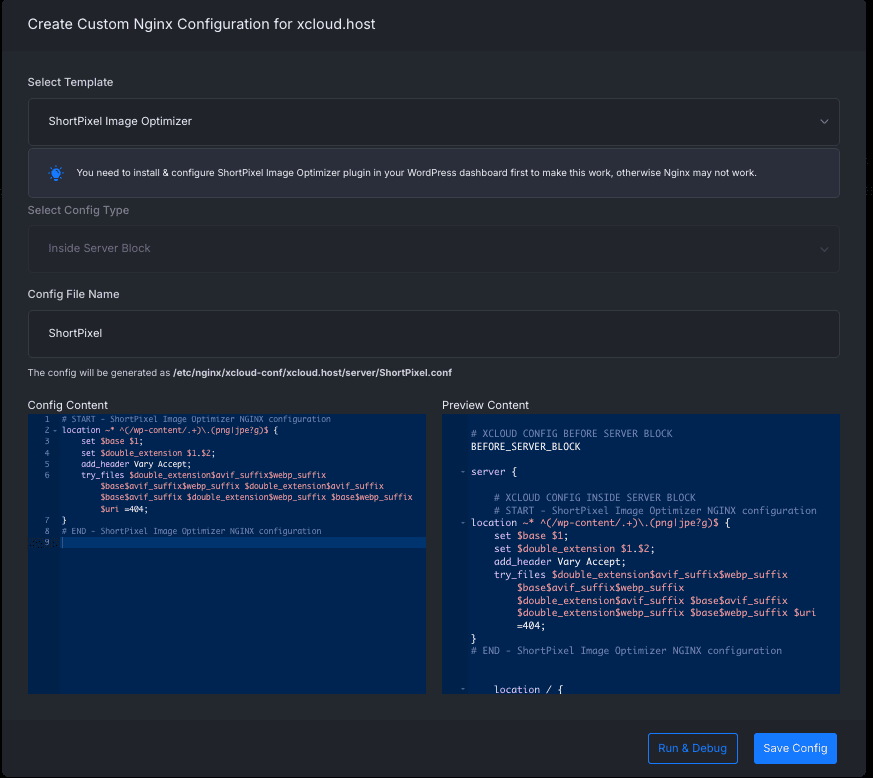
Nginx configuration has been updated to correctly respect upload size limits, improving large file uploads for applications like Nextcloud.
Fixed an issue where Patchstack was not activating during staging-to-production pushes. The deployment process now ensures correct activation.














 WordPress
 OpenClaw