This site uses cookies and tracking technologies. You may accept all or customize according to your preferences.
Customize Consent Preferences
Please select whether you consent to our use of cookies and related technologies ("Cookies"), as described in our Privacy Policy and Cookie Policy. Expand each section below for more information. You can return at any time from the same web browser to update your preferences. Please note that resetting your browser's cookies will reset your preferences.
▶
Required Cookies
Enabled
These Cookies are necessary for core features of this site to operate properly. Because they are needed for the site's operation, they are always set to "Active".
Company
Domain
Userback
app.userback.io
FirstPromoter
xcloud.firstpromoter.com
Crisp
https://crisp.chat
▶
Functional Cookies
These Cookies allow us to analyze site usage in order to evaluate and improve performance.
Company
Domain
Microsoft Clarity
clarity.microsoft.com, www.clarity.ms
Google Analytics
analytics.google.com, www.google-analytics.com
▶
Advertising / Marketing Cookies
These Cookies help us measure the effectiveness of our marketing efforts, referral programs, and promotional activities.
Company
Domain
Google Tag Manager
www.googletagmanager.com, googletagmanager.com
Meta (formerly Facebook)
connect.facebook.net, facebook.com
Deploy your AI Agent in 1-Click – Managed Hermes Agent Hosting starts from $9.99
xCloud v2.8.3 delivers a powerful new Server Overview dashboard, smarter app-first site creation, 32 new One-Click Apps, improved Hermes Agent environment management, live monitoring, and important reliability fixes.
🔥 New Features in xCloud v2.8.3
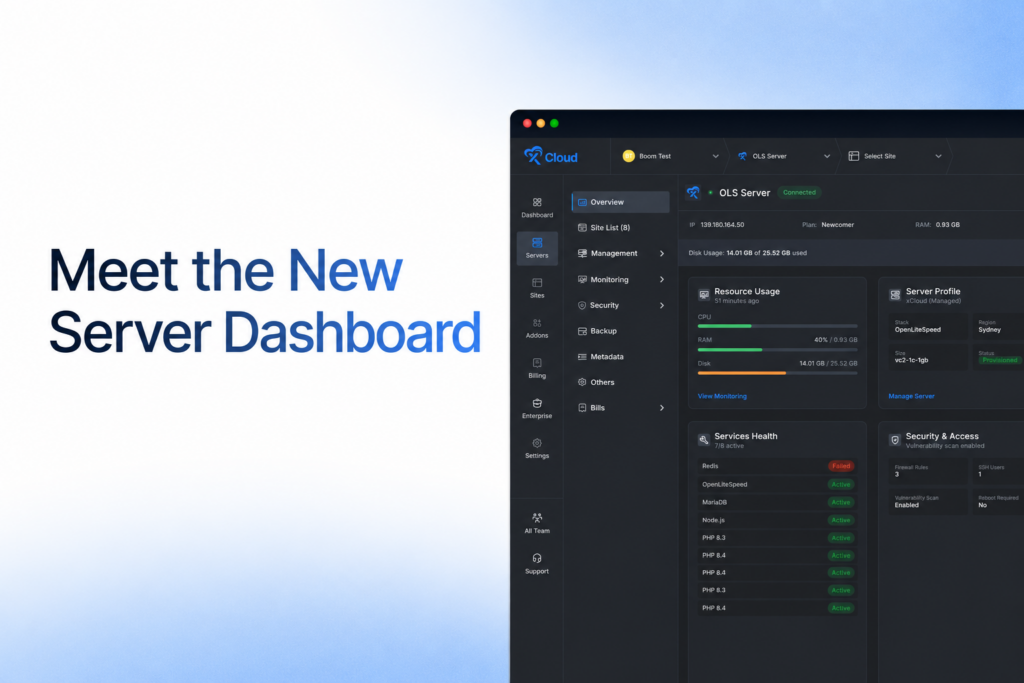
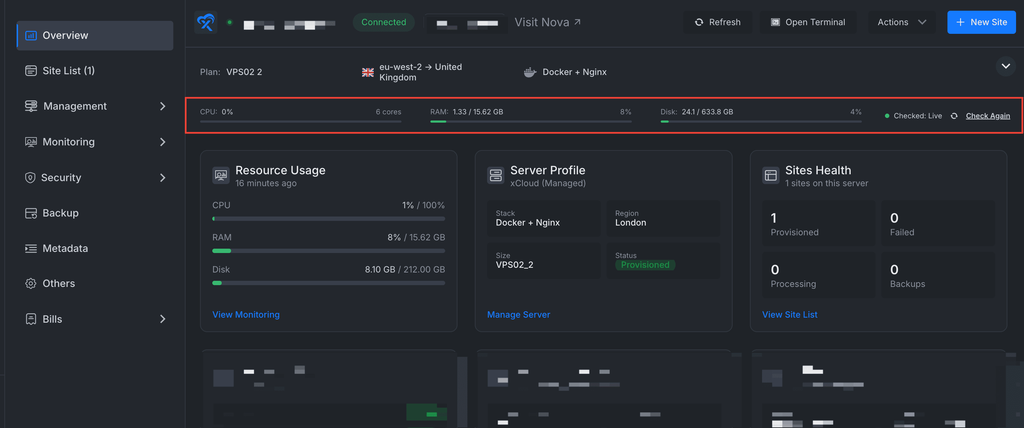
New Server Dashboard
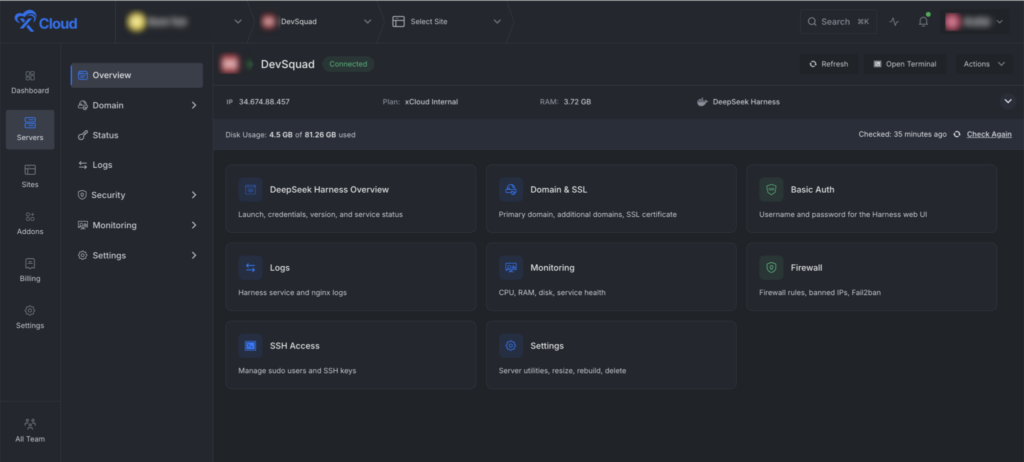
In xCloud v2.8.3, the new Server Overview dashboard provides at-a-glance insights into resource usage, site and service health, security, billing, automation, and quick actions. Learn more about managing server utilities in xCloud.
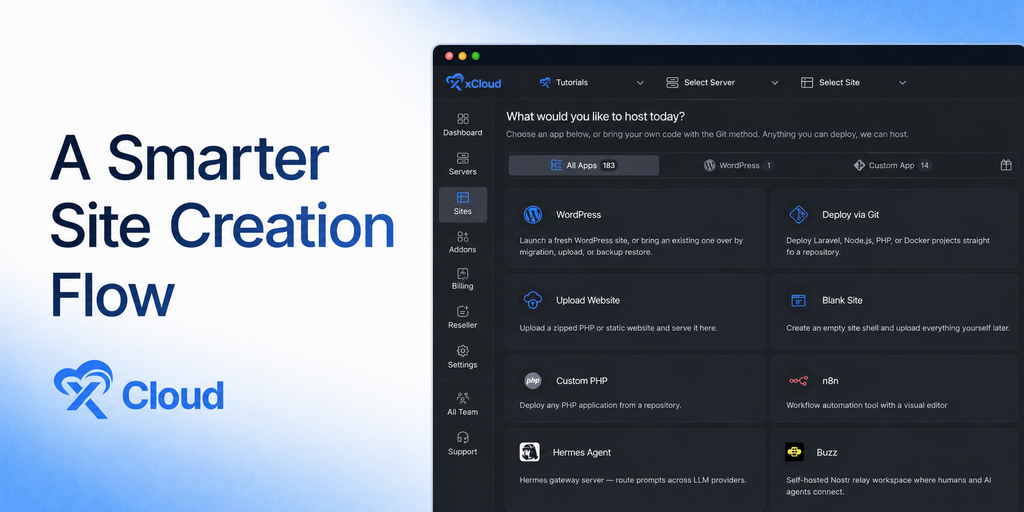
A smarter way to create sites
xCloud v2.8.3 introduces an app-first setup flow, so you no longer need to choose a server stack before knowing what you want to install. Start from the app catalog, select WordPress, a Custom App, a One-Click App, or an AI Agent, and xCloud shows the compatible server options.
See which existing servers are compatible before you begin.
Get clear guidance when an app needs a different stack or more resources.
Create a compatible managed server directly from the app flow when needed.
Compare plan, term, backup, and pricing options without leaving the setup journey.
The new app-first flow is now the default site-creation experience for all eligible users.
Introduced Live Monitoring
Live Monitoring provides regularly refreshed CPU, RAM, and disk-usage metrics directly within the xCloud dashboard. Unlike htop, which shows a real-time snapshot only while you are connected to the server, Live Monitoring helps you observe resource-usage trends over time. This makes it easier to identify recurring spikes, sustained high usage, and potential capacity issues without using the terminal.
Live Monitoring is optional and can be enabled or disabled from the server’s Server’s → Monitoring page.
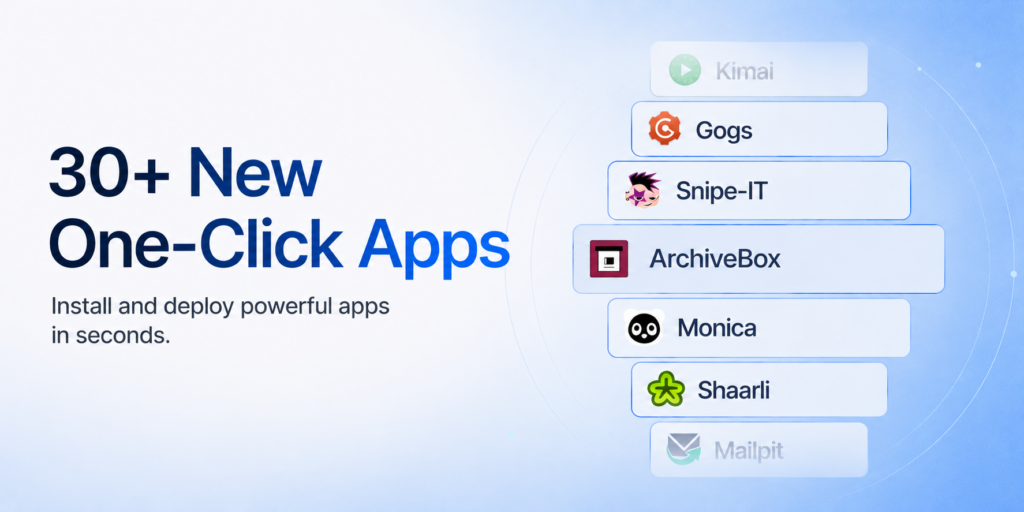
32 New One-Click Apps
xCloud v2.8.3 expands your deployment options with 32 new One-Click Apps, including Apache Solr, Kanboard, Gogs, Monica, OpenBudgeteer, ZITADEL, and more.
Simplified AI Provider Connection
Previously, connecting an AI provider could require up to three browser windows, around 12 steps, and manually typing a device code while moving between pages.
Now, users can authorize OpenAI Codex or connect Claude Code directly from the provider setup page through a guided xCloud modal. The new flow needs only a few steps, includes one-click code copying, validates tokens, displays the code-expiry countdown, and automatically detects successful authorization when the user returns to xCloud.
This makes configuring AI providers for OpenClaw, Hermes, and Paperclip significantly faster and removes the previous back-and-forth between multiple pages.
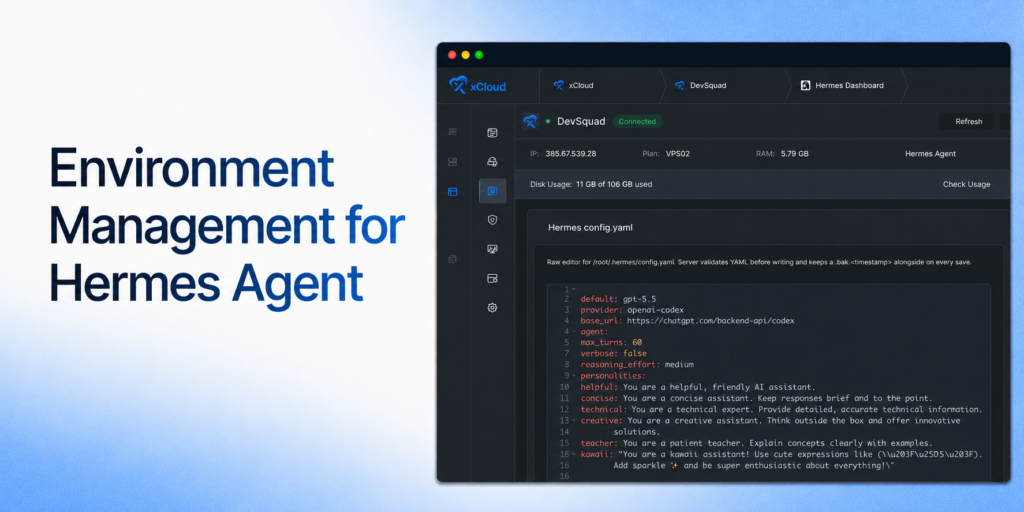
Environment Management for Hermes Agent
With xCloud v2.8.3, environment management is available directly from the xCloud Hermes Agent Dashboard, allowing you to edit Hermes configuration and manage provider API keys, OAuth tokens, and other environment variables without accessing the server manually.
Together, these xCloud v2.8.3 updates make it easier to deploy applications, understand server health, manage AI providers, and keep sites running reliably.
✨ Improvements
Site-creation server cards now show site counts for clearer capacity context.
Basic Authentication is available again in the OneClick site Tools menu.
Saving changes in the OneClick environment editor now redeploys the app automatically, keeping the running app aligned with its configuration.
Site size is displayed correctly in the dashboard site grid.
Checkout stays selectable when a selected server tier does not have a pool tile.
🐛 Bug Fixes
OneClick App deployments now remain on the selected xCloud Managed pool.
Fixed issues affecting Hermes version selection, the environment editor, and adding environment variables.
OpenLiteSpeed now restarts more gracefully, reducing intermittent connection errors during restarts.
Fixed OpenLiteSpeed Node.js sites with Cloudflare multi-domain SSL incorrectly serving 404 pages or static content instead of redirecting.
Fixed a WordPress bulk-cleanup scheduler failure that prevented stale operations and server queues from being recovered.
Support tickets are attributed to the correct authorized team.
Magic Login works more reliably with older WordPress versions.
Improved migration handling when a migrated WordPress configuration contains paths from the previous server.
xCloud v2.8.2 brings more control over GitHub connections, a smoother support experience, safer domain setup, faster dashboard pages, and reliability fixes across hosting and site management.
🔥 New Features
Repository-scoped GitHub App connections
Connect GitHub through an App and choose whether xCloud can access all repositories or only the repositories you select. Existing GitHub connections continue to work, and migration can happen without downtime.
Git setup for existing sites with GitHub Apps
Set up Git tracking on an existing WordPress or Custom PHP site using a GitHub App connection. xCloud checks that the selected repository is reachable and empty before setup begins, with clearer steps and confirmation details.
Connect one GitHub organization to multiple teams
The same GitHub organization can now be connected to more than one xCloud team. Disconnecting it from one team no longer affects the other teams.
Automatic recovery for missing Cloudflare Enterprise cache purging
xCloud now detects when the Cloudflare Enterprise cache-purge plugin is missing after a restore, clone, or manual deletion. Monitoring shows the issue and provides a one-click reinstall option.
✨ Improvements
Cloudflare Enterprise DNS instructions now separate safe verification records from the live-traffic cutover step, with clearer warnings about DNS changes.
HTTPS is enabled by default when you select a live domain during site creation.
Server and site pages load faster, especially on servers with many sites.
Hermes and OpenClaw pages now use more consistent buttons, banners, and confirmation messages.
The New Server menu now works more clearly with keyboard navigation and screen readers.
Git setup errors now explain the next step in plain language, such as reconnecting GitHub or selecting an empty repository.
The New Server menu now clearly separates xCloud Managed servers from Bring Your Own VPS provider options and shows the applicable pricing before you continue.
🐛 Bug Fixes
PHP-FPM settings are now validated before saving, preventing inconsistent values from taking multiple sites offline.
Server details are no longer exposed to team members without server access.
Staging-site deletion warnings now appear for every team member who can delete a site.
Cloudflare Enterprise domains now recover more reliably when registration, secure-connection setup, or DNS timing issues occur.
SSL renewal and health checks are more reliable for OpenLiteSpeed Node.js sites.
Vulnerability syncing now handles concurrent updates safely and retries temporary failures.
DeepSeek Harness servers now report provisioning failures correctly and can retry site setup without getting stuck.
Managed DeepSeek Harness Hosting is now available on xCloud. Deploy an open-source, plugin-based AI coding agent on fully managed infrastructure and get more control over the models, tools, and workflows behind your AI development setup.
DeepSeek Harness is built around a simple idea: everything is a plugin, giving you the flexibility to create the coding environment that works for you.
Use it to:
Choose and switch between different AI models and tools instead of being locked into one ecosystem.
Work with files, run shell commands, search the web, plan tasks, and automate development workflows.
Review agent actions, tool calls, and results with greater visibility into every session.
Switch between different runtime modes depending on the task.
Add new tools, capabilities, storage, sandboxes, and workflows without modifying the core system.
Run a flexible alternative to Claude Code and OpenAI Codex on infrastructure managed by xCloud.
xCloud handles deployment, SSL, security, monitoring, and infrastructure management, so you can focus on building and running your AI agents.
Version 2.8.0 brings more affordable managed server options, Cloudflare Enterprise for any domain, and stronger reliability across migrations, backups, billing, and server management.
xCloud Managed servers are now more affordable. The 6 GB plan starts at just $9.99 for the first month and renews at $19.99 per month, giving you a more accessible managed hosting option with the tools and support you need to run your sites.
Cloudflare Enterprise for Any Domain
You can now purchase Cloudflare Enterprise for domains hosted outside xCloud, bringing its performance and security benefits to any domain.
✨ Improvements
Added public API endpoints to start and manage broken-link scans.
Improved WordPress cron scheduling, locking, and recovery after PHP updates.
Strengthened backups, Magic Login, DNS provisioning, staging-site isolation, and container cleanup.
🐛 Bug Fixes
Fixed MariaDB server-list errors, inactive-bill invoicing, duplicate installment charges, Free-to-LTD conversion, and Hetzner server deletion.
Improved slow-query timestamps and background-task reconciliation.
Launched 59+ new OneClick apps, including Penpot, OpenProject, SearXNG, ClickHouse, Discourse, Jellyfin, Keycloak, Odoo Community, Gitea, Matomo, Moodle, and many more
⚡ Improvements
Improved automatic migrations with secure private-archive downloads, stronger database imports, and safer cleanup.
Prevented migration progress from jumping backward or reacting to stale events.
Improved the Git deployment script editor with a resizable workspace.
Improved recovery of missing and stale monthly server bills.
🐛 Bug Fixes
Fixed Cloudflare Enterprise settings saves when a shared zone rule fails.
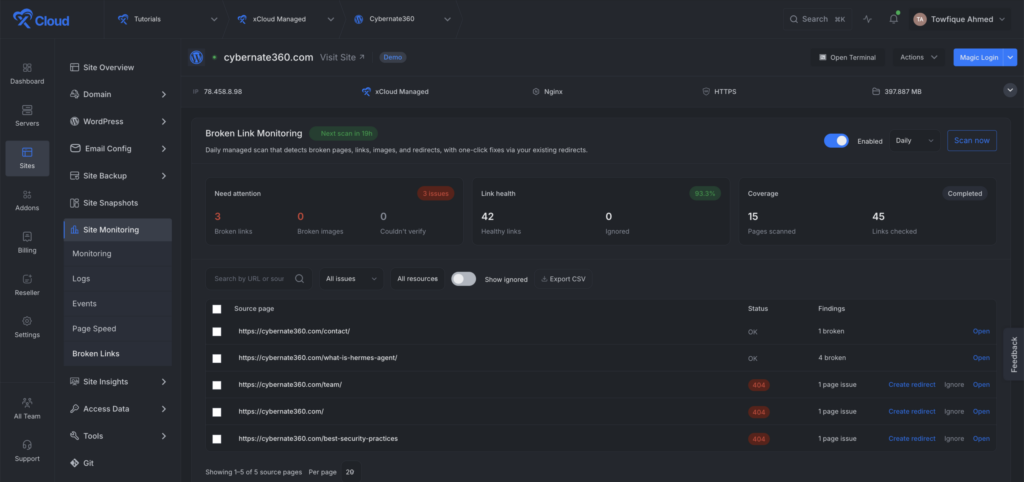
Broken-link monitoring now uses a more reliable scanning flow, making it easier to identify and manage broken links across your websites. You can now scan your WordPress sites for broken pages, links, images, redirects, and soft 404 errors directly from xCloud.
Major highlights are:
Enable scheduled scans and choose how often they run.
Start on demand scan anytime from the dashboard.
Watch live scan progress without refreshing the page.
Search and filter findings by URL, issue type, or resource type.
Ignore findings you do not want to fix.
Export scan results as a CSV file.
Create redirects directly from supported broken-page findings.
⚡ Improvements
Git Settings now includes a Save and deploy action, allowing you to save changes and start deployment in one step.
Git Settings now includes a Save and Deploy action, letting you save changes and begin deployment in one step.
Improved Node.js update checks, recovery for stuck tasks, and mobile layouts.
Improved backup restore checks, SQLite backup records, and backup request handling.
Improved Nginx page speed, site and server checks, module detection, and automatic recovery.
Improved the Managed server setup flow and plan suggestions.
🐛 Bug Fixes
Fixed an issue where platform admin API tokens could access resources from other teams. API tokens are now kept within the correct team.
Fixed regenerated Elastic Email API keys not syncing correctly.
Fixed an issue where mailbox status was not restored after a failed mailbox deletion.
Fixed server monitoring charts so the seven-day view refreshes correctly and uses a backup data source when needed.
Fixed old custom Nginx files remaining after site deletion and added stronger checks to prevent incorrect automatic Nginx changes.
Fixed server billing updates related issue.
Fixed database conflicts that could happen when automated tests ran at the same time.
You can now detect a repository’s application type and deploy Git-based projects through the xCloud Public API.
Detect supported projects before deployment.
Deploy GitHub repositories through API-powered workflows.
Receive clearer guidance when repository access, deploy keys, DNS, or configuration requires attention.
Use the same guided deployment flow through xCloud MCP and compatible AI tools.
A redesigned OneClick App catalog
The OneClick App catalog now makes it easier to discover and compare supported applications.
Browse apps by category.
Search and filter the catalog more quickly.• Switch between grid and list views.
See clearer service names and compatibility information before installation
✨ Improvements
Webmail password self-service – Mail users can now change their own webmail passwords. xCloud also provides clearer guidance when a changed webmail password must be updated in the xCloud panel.
Public API and MCP responses now provide actionable recovery guidance instead of only generic errors.
Git deployment setup now displays the deploy key and explains when xCloud cannot add it automatically.
Server suspension notes now provide clearer billing context for outstanding invoices.
OneClick App cards have improved labels, badges, categories, and filtering.
Backup defaults are selected more accurately for sites with or without a database.
🐛 Bug Fixes
Fixed Docker deployments failing because of host-port conflicts left by older containers.
Fixed Basic Authentication for Node.js sites.
Fixed PHP and Nginx upload-limit synchronization, including unlimited values.
Fixed service controls using incorrect identifiers for Redis and other managed services.
Fixed backups incorrectly reporting harmless liveness output as an error.
Fixed shared-domain DNS records not being fully removed after site deletion.
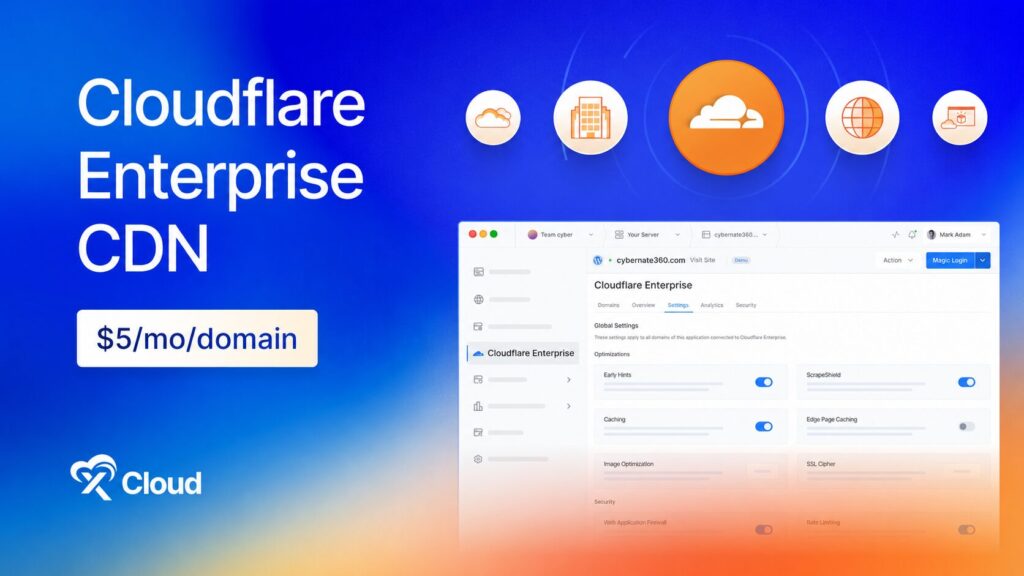
Cloudflare Enterprise is now available on xCloud as a per-domain add-on. You get the same enterprise network the largest brands run on, fully managed by xCloud, for a flat $5 per domain, per month. No Cloudflare account, no enterprise contract, and no DNS work on your side.
Turn it on per domain from Addons → Cloudflare Enterprise, or directly from a site. xCloud handles the zone setup, the certificate, and the routing.
Serve your site from Cloudflare’s global network across 330+ locations.
Pay a flat $5 per domain, per month, with no traffic-based charges.
Get managed SSL on every domain you enable.
Full page caching at the edge, so visitors are served from the location closest to them.
Early Hints, so browsers start loading assets before the page response arrives.
Automatic image optimization, in lossy or lossless mode.
One-click cache purge across the whole network.
Enterprise WAF that blocks SQL injection, XSS, and zero-day attempts in real time.
Advanced DDoS protection at the edge, before traffic reaches your server.
Browser Integrity Check and one-click Under Attack Mode for when you are being targeted.
Crawler blocking to stop AI bots from scraping your content.
Real-time request and data transfer analytics, including Cloudflare-served versus origin traffic.
Cache performance and top countries, so you can see where your traffic comes from and how much of it never touches your server.
🌟 30+ One Click Apps: Self-Host Your Whole Stack in a Couple of Clicks
We’ve added a big batch of new apps to xCloud One Click Apps, so you can now self-host search, analytics, docs, BI, automation, passwords, media, Git, and more, all in a couple of clicks. Pick an app and xCloud handles the setup, SSL, and config for you. With this release, we now support 30+ one click apps.
🆕 New Apps
Redis In-memory data store for caching, queues, and fast key-value workloads.
Moodle Open-source LMS to build courses, run quizzes, and track grades on your server.
BookStack Open-source wiki and documentation platform for team knowledge bases, SOPs, and internal docs.
Excalidraw Virtual whiteboard for hand-drawn-style diagrams, wireframes, and flowcharts. Runs entirely in the browser — fast, private, and works offline once loaded.
Metabase Open-source business intelligence — connect your databases, ask questions in a friendly UI or SQL, and build shareable dashboards. No per-seat pricing, your data stays on your server.
Matomo Privacy-first, self-hosted web analytics with full data ownership, visitor insights, goals, campaigns, and tag management.
Vaultwarden Lightweight, Bitwarden-compatible password manager server. Works with all official Bitwarden apps and browser extensions.
Gitea Lightweight self-hosted Git forge with repos, pull requests, issues, packages, and Actions-compatible CI workflows. Ships SQLite + HTTPS cloning out of the box.
Meilisearch Lightning-fast, typo-tolerant search engine — an open-source Algolia alternative for apps and websites.
Odoo Community Open-source business suite with modular CRM, sales, invoicing, inventory, project, website, and e-commerce apps.
Qdrant Vector database and similarity-search engine for semantic search, recommendations, embeddings, and RAG. Includes REST APIs and a web dashboard.
Plane Open-source project management for issues, cycles, modules, pages, and team workspaces.
Paperless-ngx Open-source document management with OCR, full-text search, tagging, and automated organization.
Listmonk High-performance, self-hosted newsletter and mailing-list manager with subscriber segmentation, campaign analytics, templates, and a REST API.
Keycloak Open-source identity and access management with single sign-on, OpenID Connect, OAuth 2.0, SAML, user federation, and multi-factor authentication.
Jellyfin Free, open-source media server for organizing and streaming movies, TV, music, photos, and live TV to web, mobile, and TV clients — no subscriptions or premium gates.
Hoppscotch Open-source API development workspace for REST, GraphQL, realtime protocols, collections, environments, and teams.
draw.io Private browser-based diagramming for flowcharts, architecture diagrams, UML, network maps, and more. Stateless server with files saved or exported by the user.
Discourse Open-source community platform for discussions, support forums, knowledge sharing, and long-form conversations.
Databasus Self-hosted database backup console for PostgreSQL, MySQL, MariaDB, and MongoDB with schedules, retention, encrypted storage, notifications, and restore workflows.
changedetection.io Self-hosted website change monitoring for prices, inventory, policy pages, releases, and other web content, with configurable alerts and change history.
Appsmith Open-source low-code platform for building internal tools, admin panels, dashboards, and database-backed workflows with a visual editor, JavaScript, APIs, and data-source integrations.
Actual Budget Privacy-focused, local-first personal finance and envelope budgeting with reports, sync, optional bank import, and optional end-to-end encryption.
Activepieces Open-source workflow automation with a visual builder, AI agents, and hundreds of integrations.
Linkding Fast, lightweight self-hosted bookmark manager with tags, search, browser extensions, import/export, and an authenticated REST API.
Wiki.js Modern open-source knowledge base with access control, search, and collaborative editing.
Wallos Self-hosted subscription tracker for recurring payments, renewal dates, categories, currencies, statistics, and configurable notifications.
Shiori Lightweight self-hosted bookmark manager with full-text search, tags, import/export, browser extensions, and offline webpage archiving.
PrivateBin Zero-knowledge encrypted pastebin for expiring text, code, and password-protected links. Encryption and decryption happen in the browser.
pgAdmin Web-based administration for PostgreSQL, with a secure initial administrator account and persistent server definitions, preferences, sessions, and user files.
ntfy Private push notifications for scripts, apps, and infrastructure. Publish over HTTP and receive alerts in the web UI or ntfy mobile apps.
🎉 xCloud MCP is here. Connect Claude, Claude Code, Cursor, ChatGPT, Gemini, VS Code, Windsurf, or any MCP-compatible client to your xCloud account and manage your servers and sites through a conversation instead of the dashboard.
Describe what you want in plain language and your AI assistant handles it against your real infrastructure:
Create sites and spin up new environments from a single prompt.
Deploy without leaving the editor or chat you are already working in.
Ask why a deploy failed and get pointed to the actual cause.
Compare staging and production to see what is different.
Check PHP versions, server load, and site status across everything you run.
Manage databases, SSL, and server resources without opening a tab.
✨ Improvements
Site User is now visible and editable during the Deploy via Git workflow.
Renamed Automatic Delete to Backup Retention for clearer backup management.
🐛 Bug Fixes
Fixed an issue related to the double-clicking Deploy could create duplicate sites for the same domain.
Fixed OpenLiteSpeed www redirects to correctly return HTTP 301 responses.
Fixed deployments stuck related issue.
Fixed team switching so servers and sites update immediately without requiring a page refresh.
Fixed Codex OAuth login compatibility for the valid OpenAI accounts.